How to Find an ATM and Deposit Cash in GTA 6
How to find the nearest ATM in GTA 6 with the BuckMe ATM Finder, deposit cash into your checking account, the $15,000 limit, and why banking your cash matters.
Skip to the guideTo deposit cash in GTA 6, open the BuckMe app on your phone, choose ATM Finder › Set Destination, drive to the marked ATM, and pick Deposit. Choose an amount (it starts on the maximum you’re carrying), press Confirm, and the money moves from your pocket into your BuckMe checking account. Each account holds up to $15,000.
ATMs unlock in Chapter 1 after the Buck Me mission, which gives Jason the BuckMe app and a $100 welcome bonus. Until then he has no bank account at all, and every dollar he earns is cash.
Quick version: finish Buck Me → open the map index › Earn Money › Deposit Cash Into BuckMe → phone › BuckMe › ATM Finder › Set Destination → drive to the ATM → interact → Deposit → adjust the amount → Confirm.
The Deposit Cash Into BuckMe task
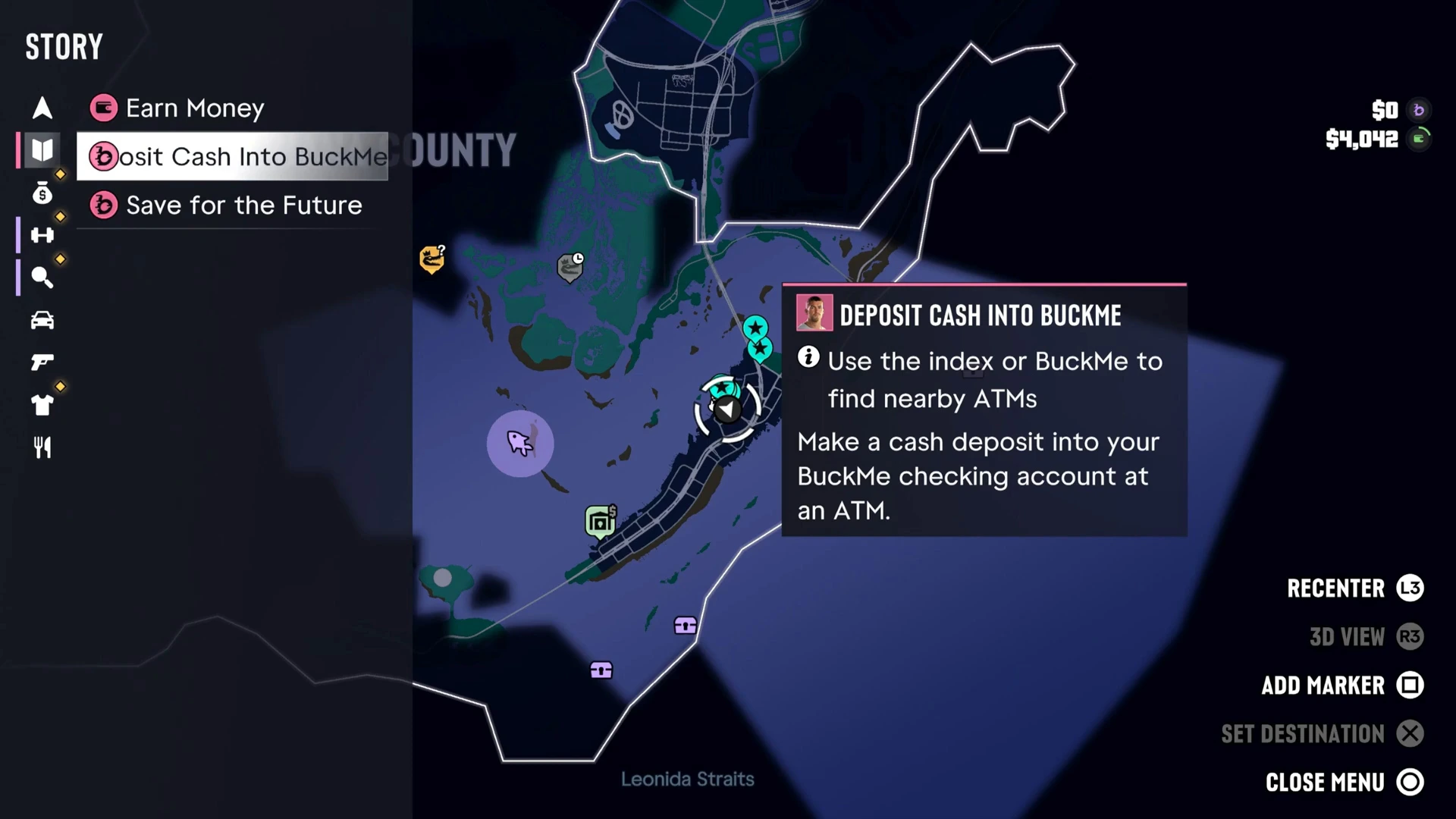
After Buck Me, a new task appears in the map index under Earn Money: Deposit Cash Into BuckMe. Its description reads “Use the index or BuckMe to find nearby ATMs. Make a cash deposit into your BuckMe checking account at an ATM.” A second task, Save for the Future, sits below it.
The task has no time limit and no fail state. You can do it right away or the next time you’re passing an ATM.
How to find the nearest ATM
There are two ways to find an ATM:
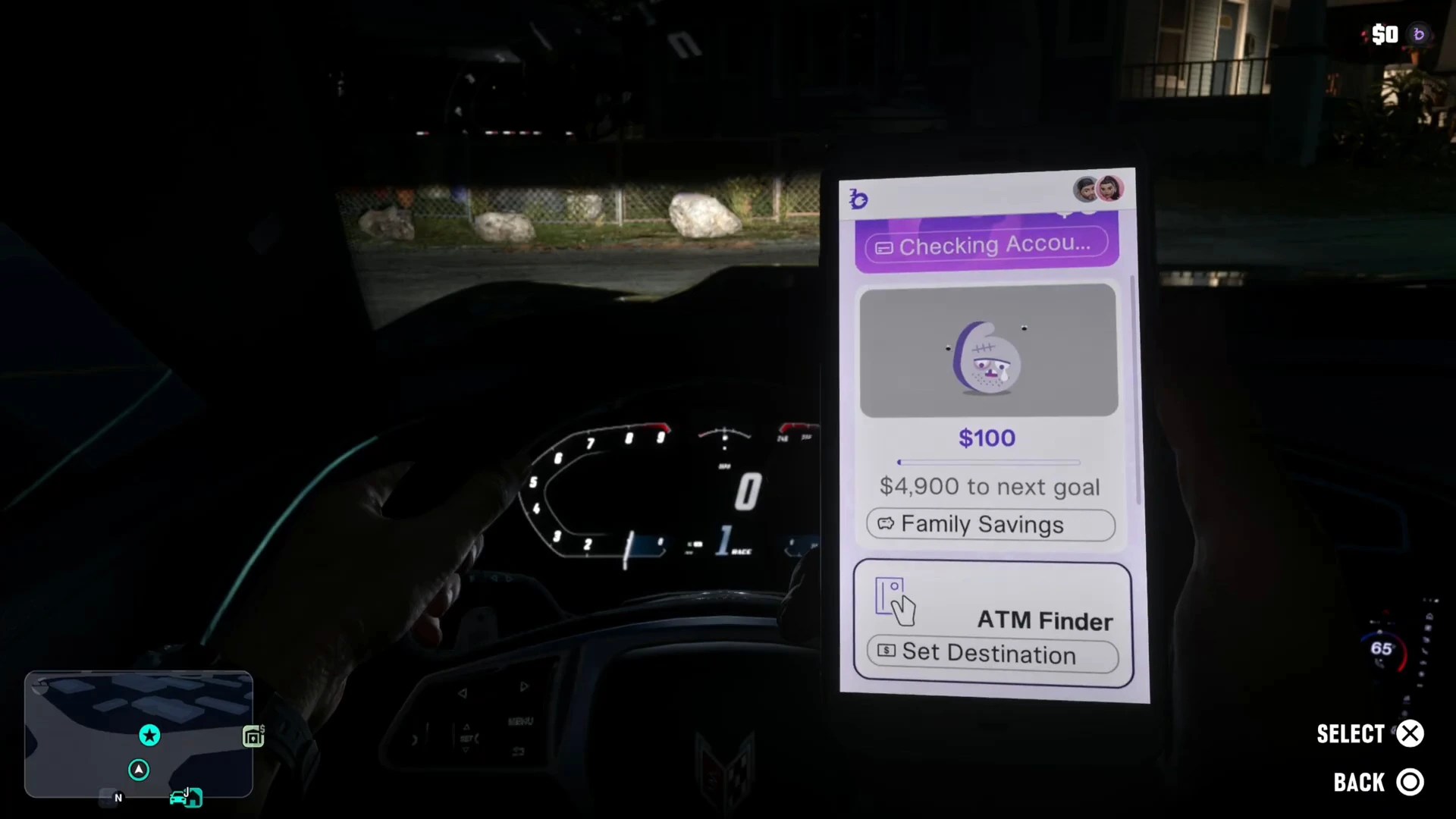
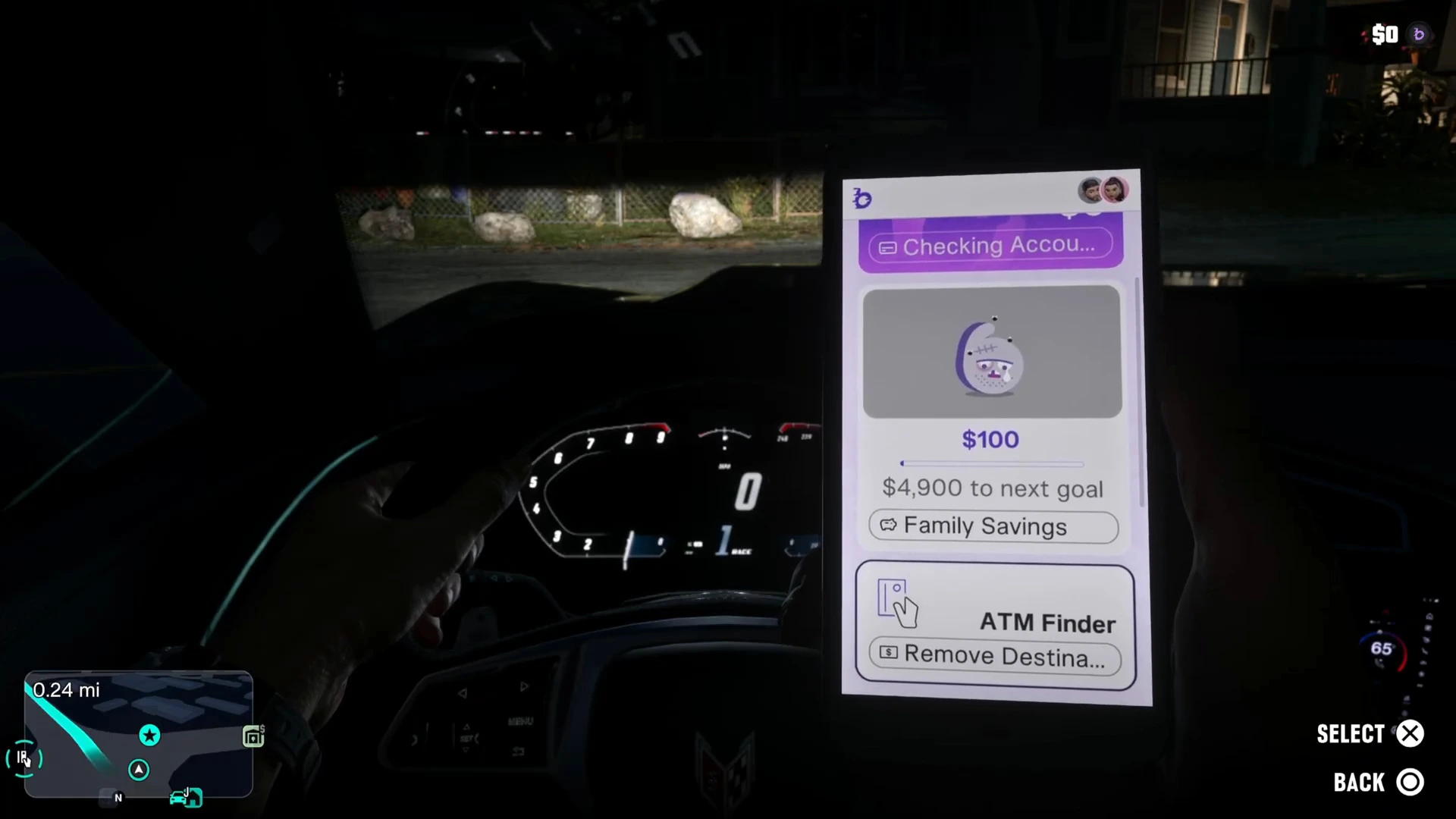
- The BuckMe app (fastest). Open your phone and select the purple b app. Scroll past your Checking Account and Family Savings cards to ATM Finder and press Set Destination. The GPS route goes straight to the closest machine.
- The map index. Select the Deposit Cash Into BuckMe task in the index, which highlights nearby ATMs on the map, and set a waypoint yourself.
The app also shows your balances. In this run Jason had $100 in Family Savings, with “$4,900 to next goal”, and $0 in checking before the deposit.
Where the ATMs are
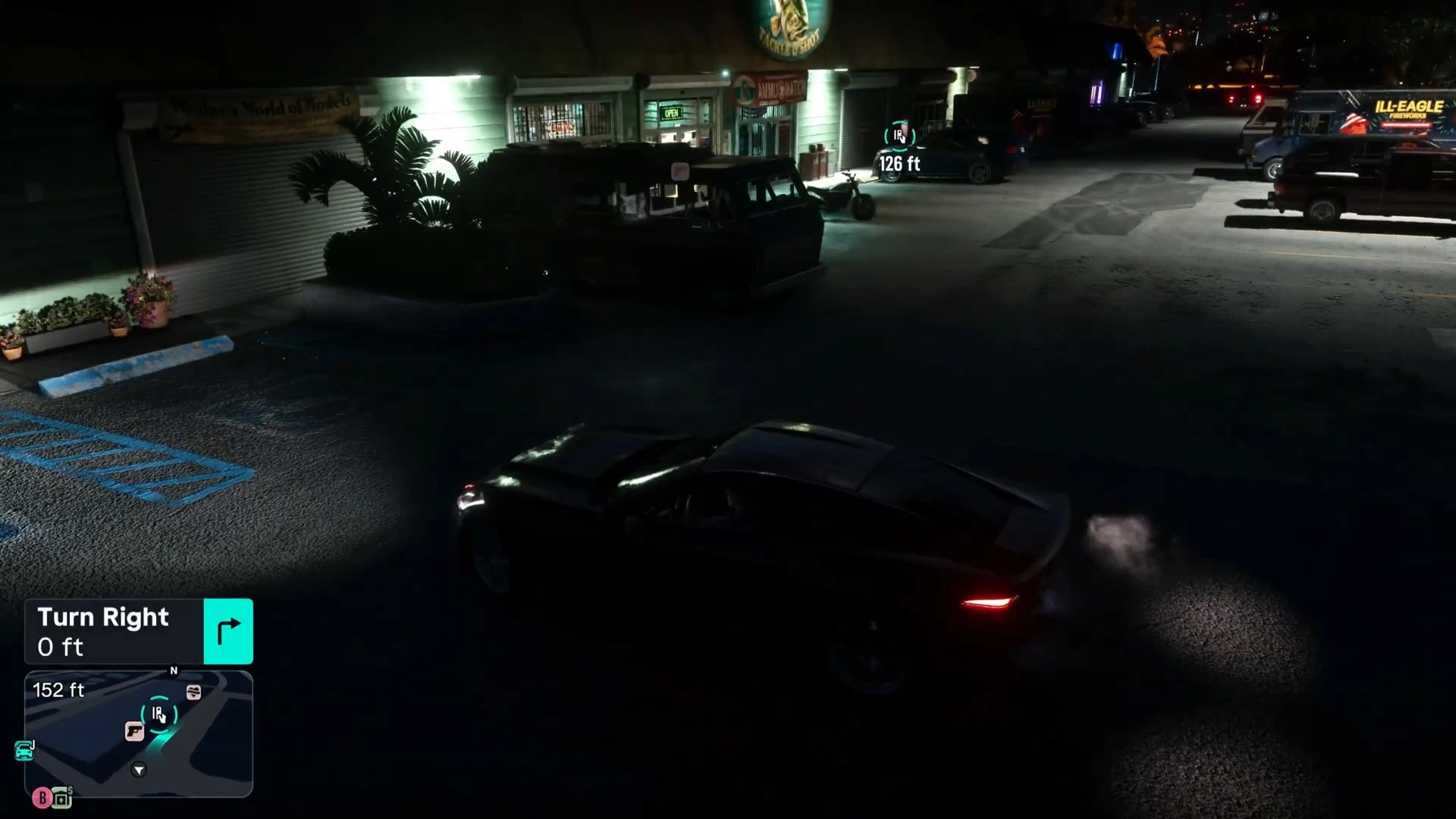
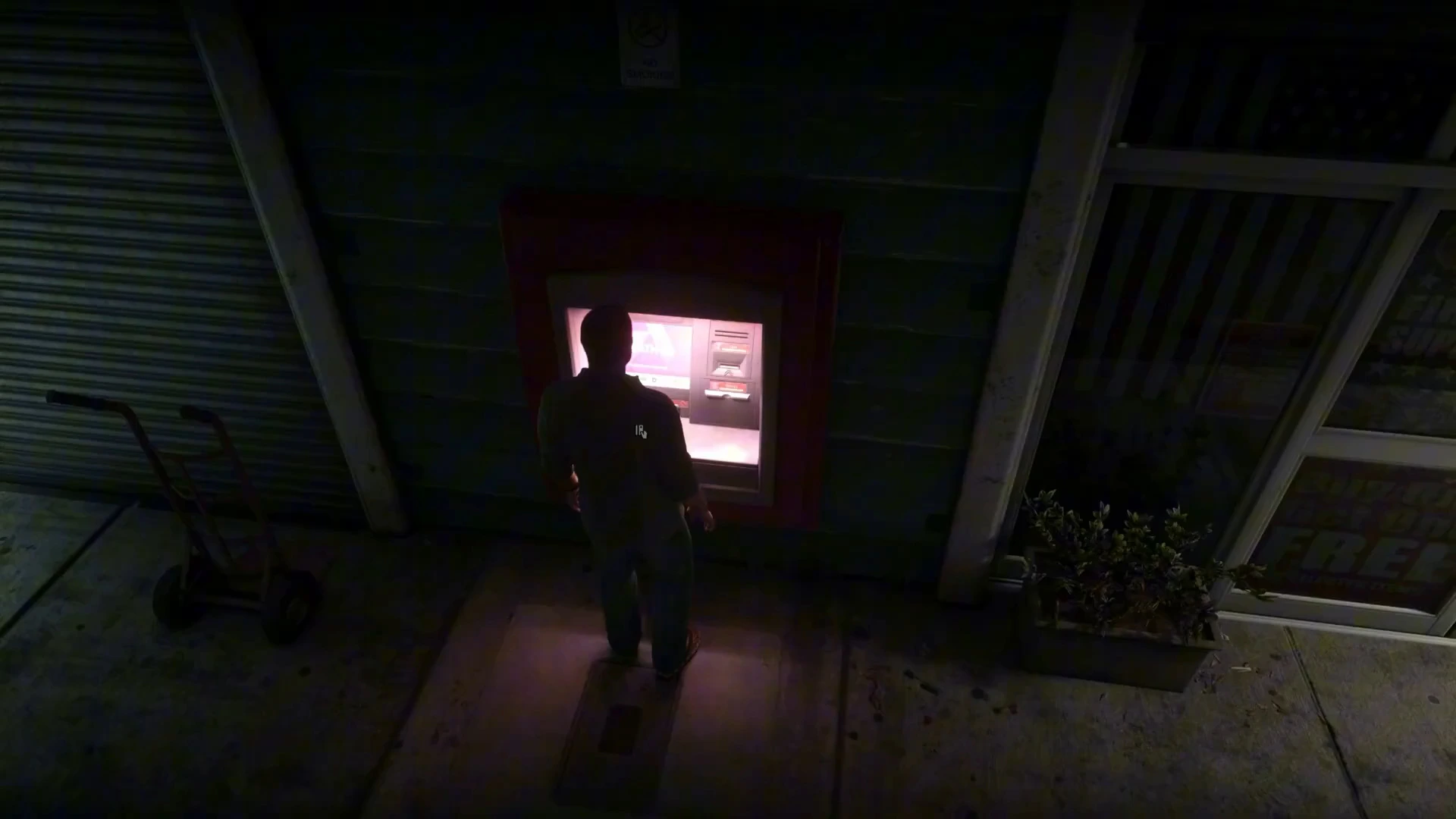
ATMs are set into the walls of shops, gas stations and strip malls across Leonida, usually lit by a small red or pink panel that stands out at night. The one the ATM Finder picked here was a few minutes’ drive from Jason’s house in the Keys. It was on the side of a strip mall with a gun shop and a fireworks store in the parking lot.
You don’t need a specific ATM. Any machine works for deposits, so use whichever the finder picks or whichever is on your route.
How to deposit cash at an ATM
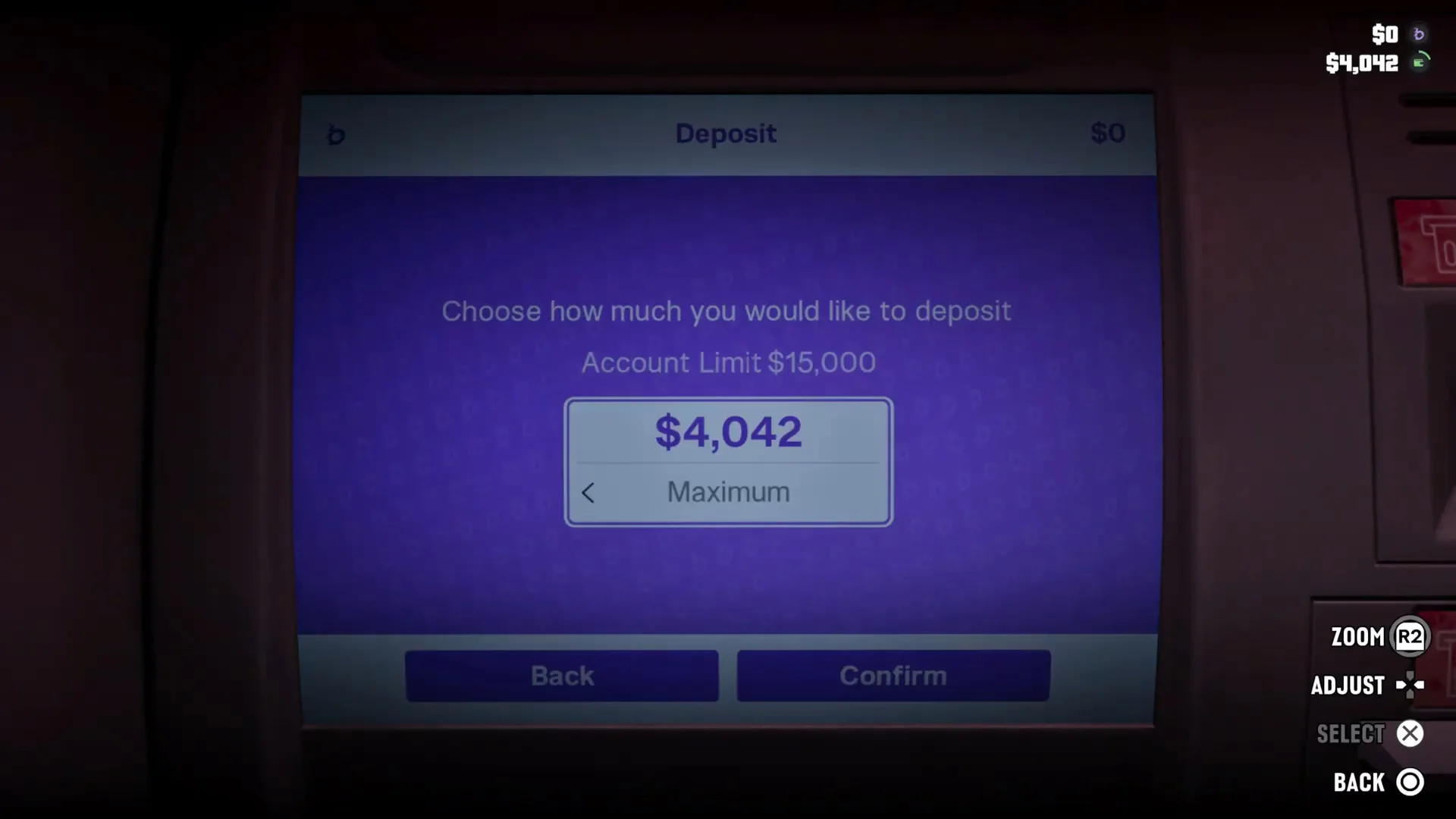
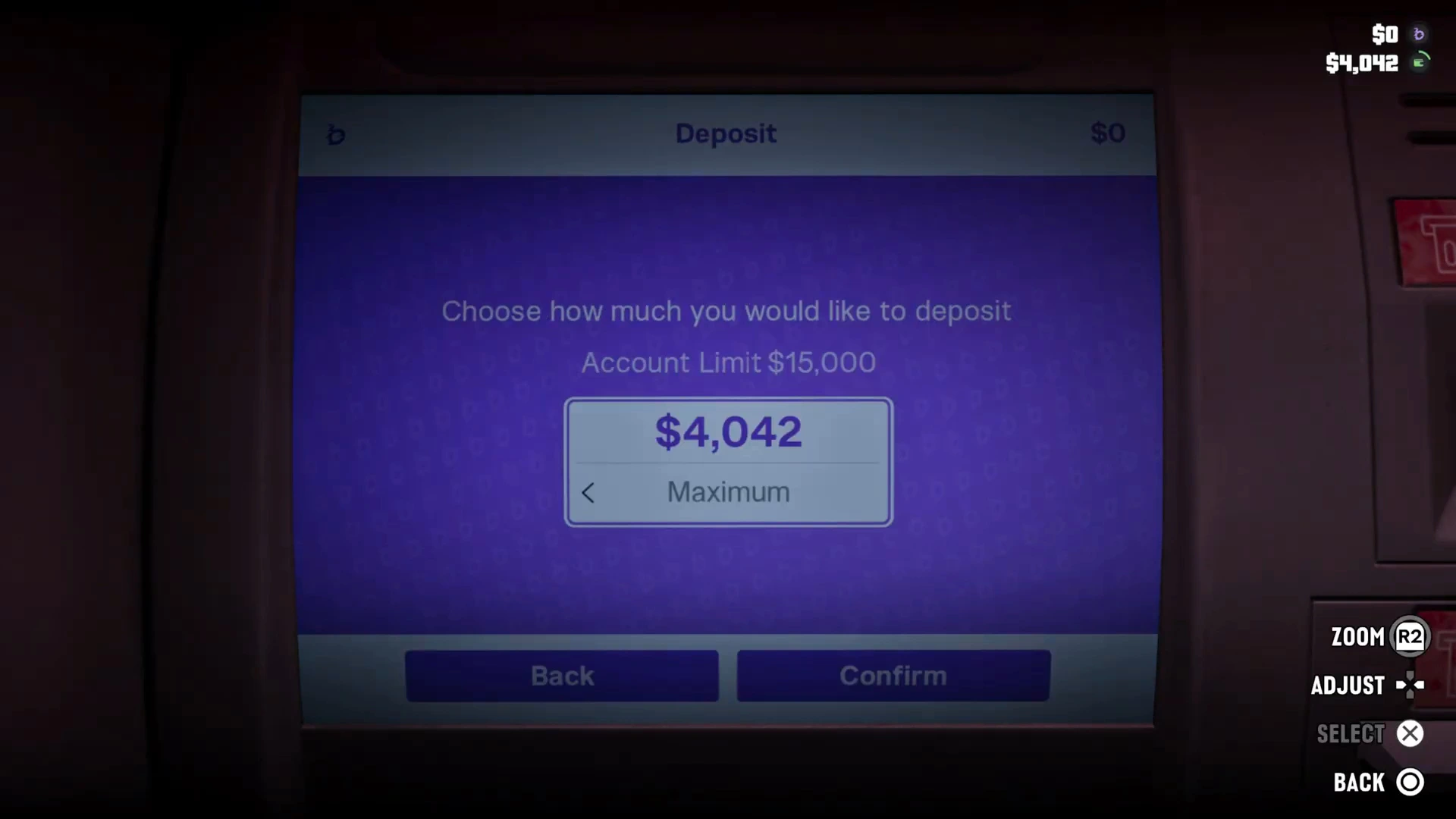
Walk up to the machine and press the interact prompt. The BuckMe screen opens with a Deposit page:
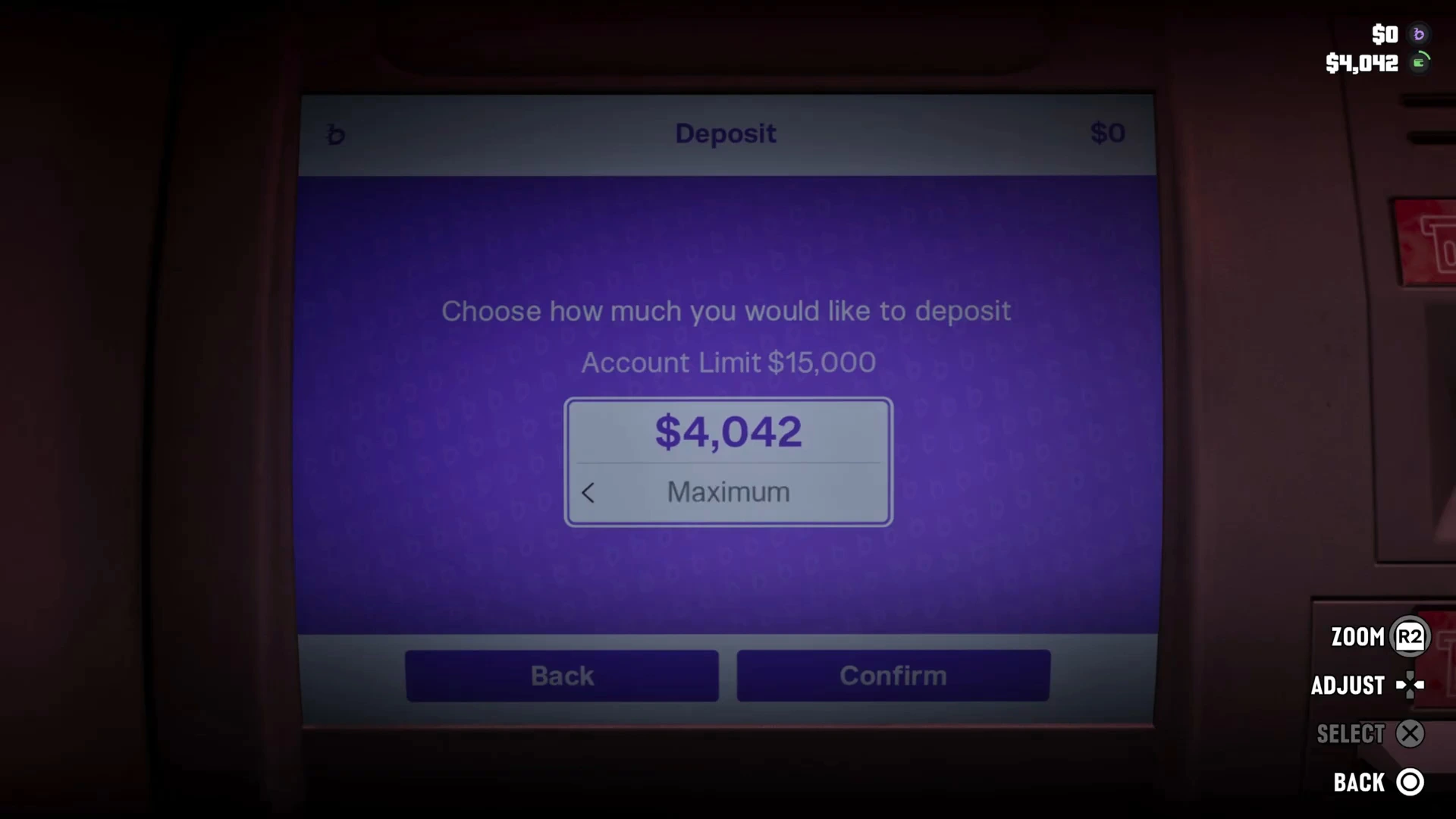
- “Choose how much you would like to deposit.” The amount defaults to Maximum, which is all the cash you’re carrying.
- Adjust: use the d-pad left and right to lower or raise the amount, dollar by dollar.
- Zoom (R2) brings the camera closer to the screen if the text is hard to read.
- Confirm makes the deposit; Back cancels.
The top of the screen shows your current BuckMe balance, and the HUD in the corner shows both figures: the b line is your bank balance and the green wallet line is your cash.
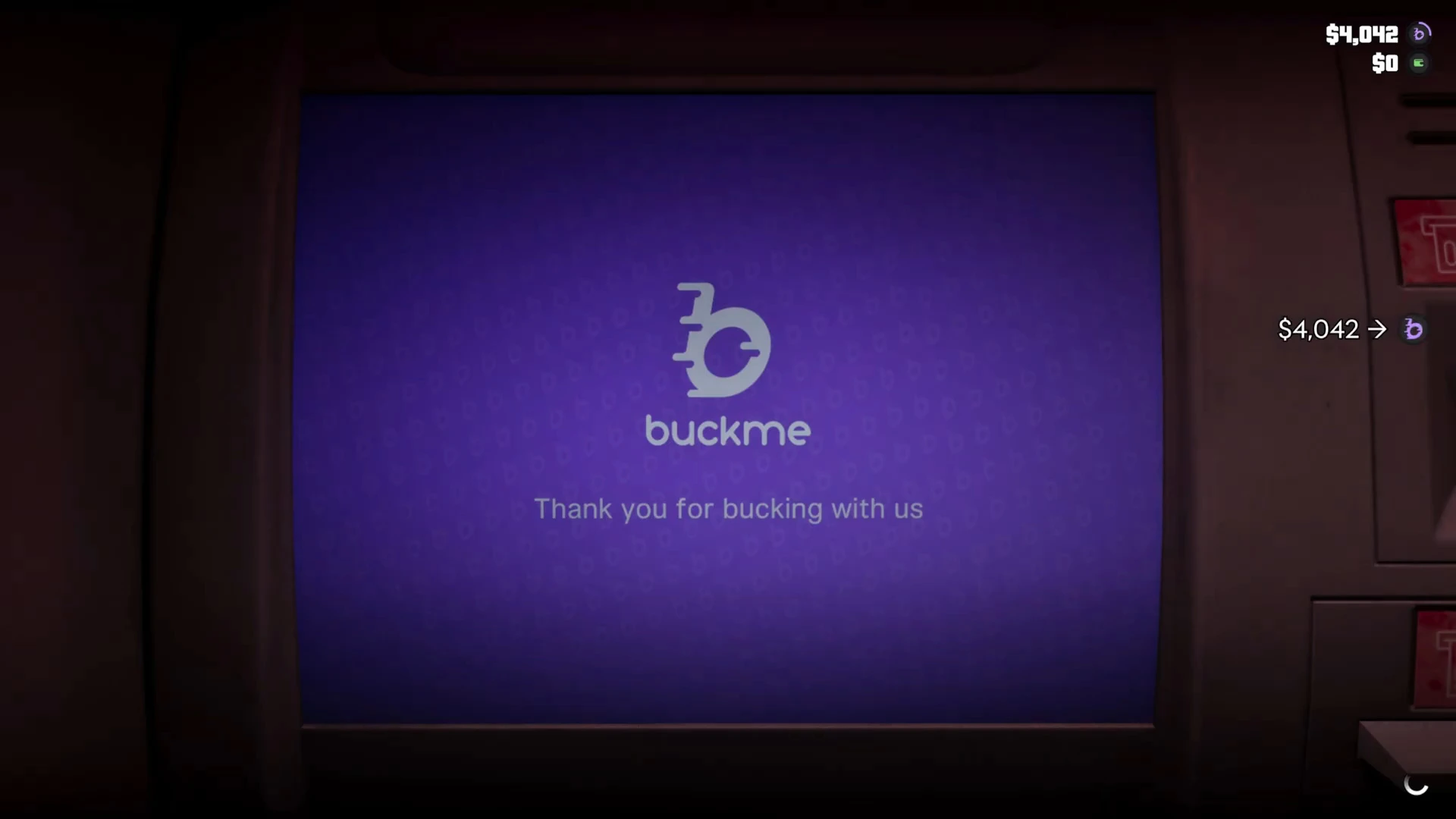
When the deposit goes through, the screen shows “buckme. Thank you for bucking with us”, and the HUD animates your cash moving into the bank. That completes the Deposit Cash Into BuckMe task.
The $15,000 account limit
The ATM shows Account Limit $15,000 on the deposit page. That’s the cap for the checking account at this point in the story. Jason only had about $4,000 when this footage was taken, so the limit didn’t come into play, but once bigger payouts arrive it’s worth moving money on to Family Savings or spending it.
Why you should bank your cash
- It keeps your money in one place. Your BuckMe balance shows on the HUD next to your cash, so you always know what you have.
- Some purchases need a bank account. Certain items, such as some guns at Ammu-Nation, need a bank account before you can buy them. See the GTA 6 beginner tips.
- Family Savings earns interest. The Save for the Future task asks you to reach the first Family Savings goal of $5,000. Move money from checking to savings in the BuckMe app and it grows over time.
- Payouts start as cash. Early jobs pay into the mailbox at Jason’s house, not your account. After Gone Fishing and the other early Chapter 1 jobs, collect the mailbox cash, then bank it at the nearest ATM.
Common questions
Can you withdraw money from ATMs in GTA 6? Yes. The ATM’s main menu offers Deposit, Withdraw and Transactions. Withdraw moves money from your BuckMe checking account back into cash, which you need for cash-only purchases. See the GTA 6 money guide for where cash and bank money each work best.
Does Lucia share the account? The BuckMe app shows both Jason’s and Lucia’s pictures in its header, and the savings account is called Family Savings, so it’s set up as their shared pot.
Does banking cost anything? No fee showed on the deposit screen. The full amount went into the account.
More GTA 6 guides
- Buck Me walkthrough: the mission that unlocks BuckMe and ATMs
- GTA 6 beginner tips
- GTA 6 FAQ
- Every GTA 6 mission walkthrough