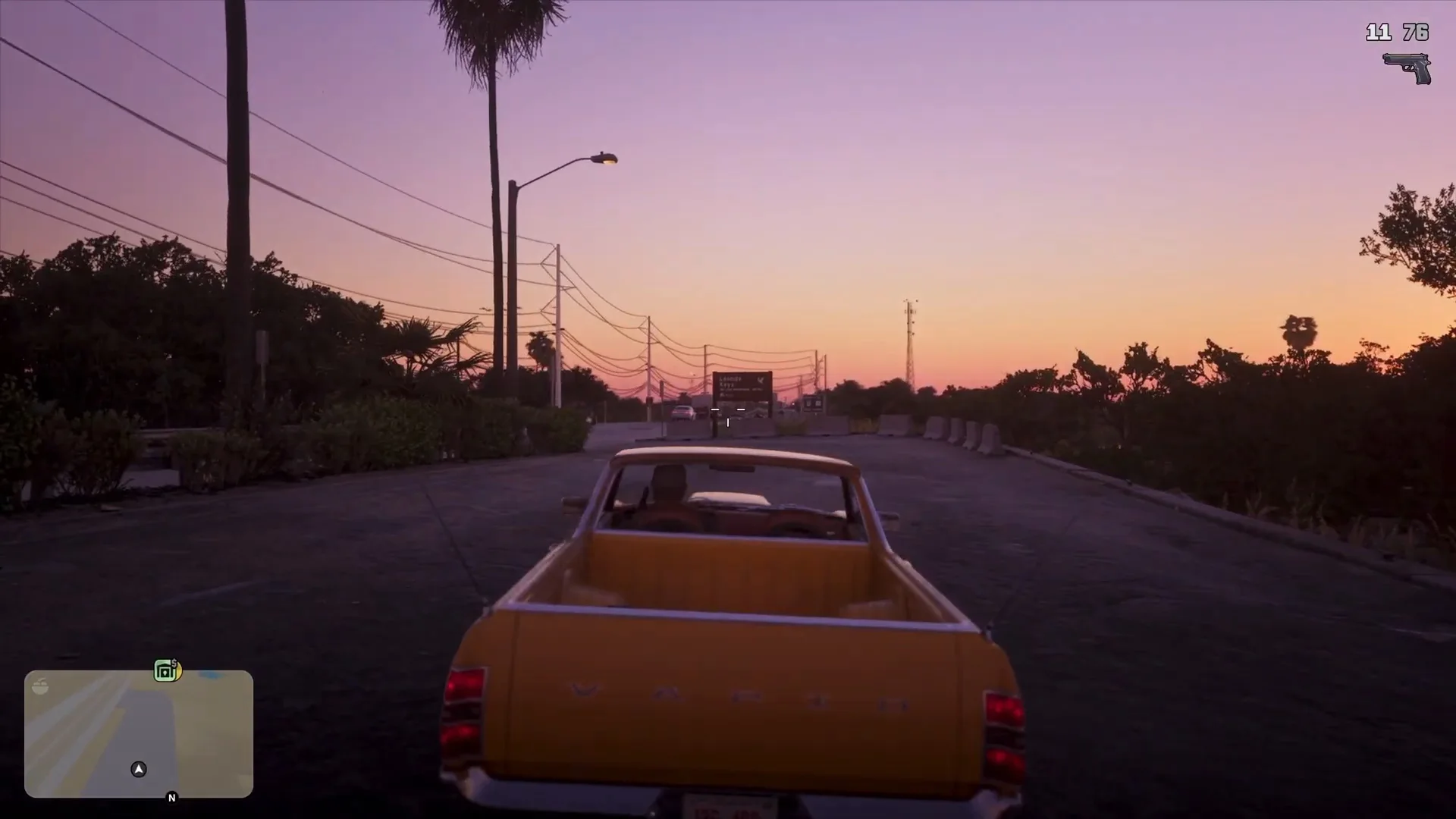
GTA 6 Vehicle Menu: Headlights, Hazards and Using Weapons in Cars
How the GTA 6 in-car vehicle menu works: headlights set to Automatic, hazards, the vehicle info panel, and how to equip a gun and aim while driving.
Skip to the guideGTA 6 puts the controls for your car in a Vehicle menu that opens over the driving view, and it handles headlights, hazard lights and a few other toggles. Weapons work differently: you equip them from the usual weapon wheel and then aim from the driver’s seat. This guide covers both, using only what the footage shows, and says clearly where a button or behaviour is not confirmed.
Quick version: open the Vehicle tab of the in-car menu · move along the icons with LB / RB · Headlights can be set to Automatic · Hazards start Off and turn on with the confirm prompt (A on Xbox) · equip a gun from the weapon wheel before you need it · the shoot-from-a-car button is not confirmed.
The Vehicle menu
While driving, the game can show a menu with three tabs down the left side: Vehicle, Radio and On Demand. Vehicle is the tab with the car toggles. The tabs are selected with the right stick (the icon beside the Vehicle label is a stick click), and the icons along the top row are cycled with LB and RB.
The row we saw has five icons. The two that carry a visible label are Headlights and Hazards. The remaining icons are small car and key symbols with no text in the footage, so we will not guess what they do. Whichever icon is selected, its name and current state appear underneath it, and a button prompt on the right of the row tells you what pressing confirm will do, for example Turn On or Turn Off.
The lower-right corner shows an info panel for the car you are in. In the footage it read Buckingham Windsor Drop with three lines: Access: Unlocked, Security: Deactivated and Tracker: Advanced. That panel is a quick way to check whether a vehicle you stole or bought is locked or tracked before you drive it onto a main road. Our vehicles list covers the cars themselves, and how to steal cars explains getting into one.
Headlights: Automatic by default
Select the headlights icon and the label underneath reads Headlights – Automatic, while the prompt on the right says Turn Off.
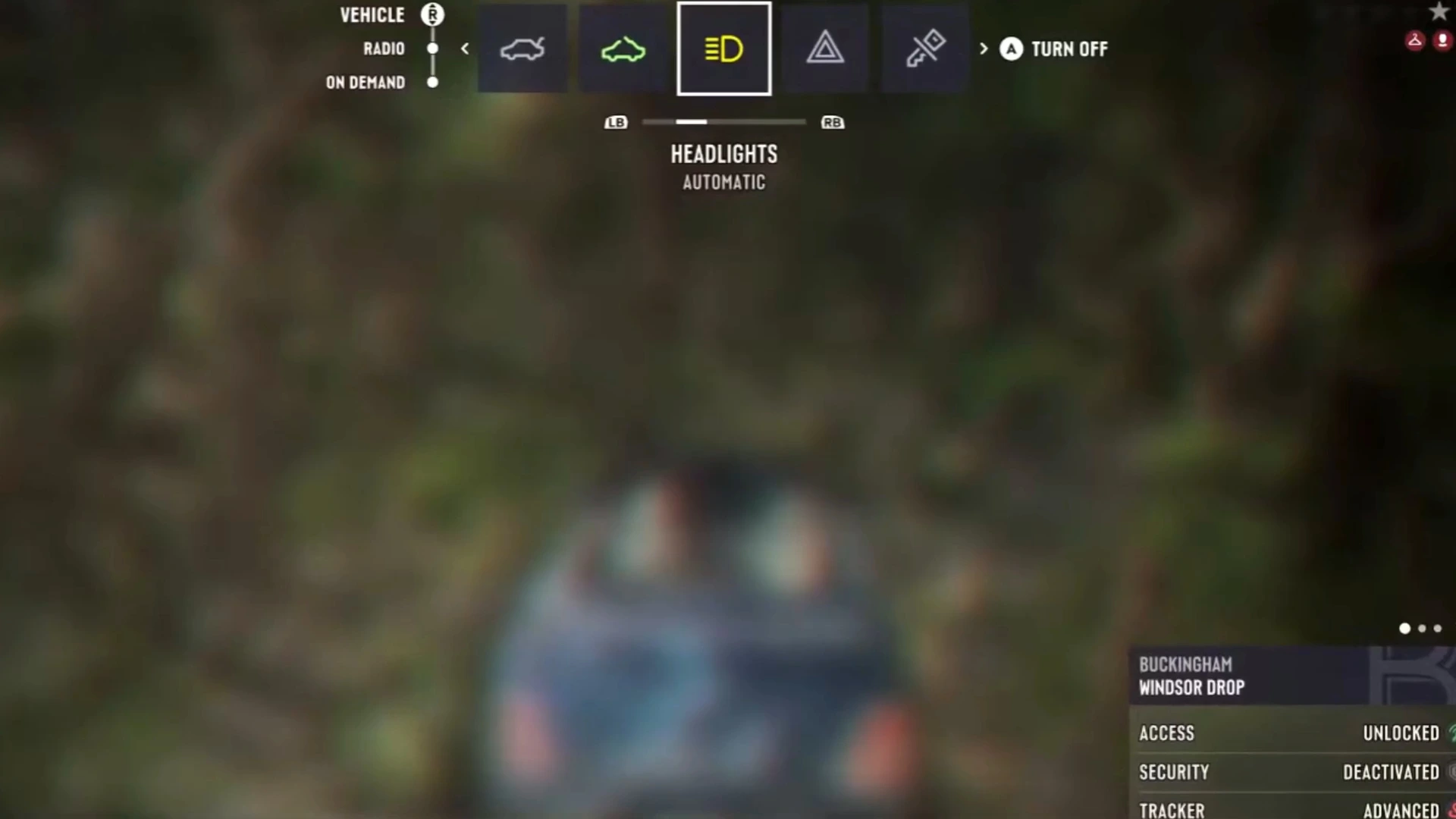
That combination tells us the lights are in an automatic mode that is currently active. You do not need to switch them on at dusk. The game does it for you, and the prompt is how you override it. The footage did not show what the manual states are called or how many there are, so treat “Automatic, then Turn Off” as the only sequence confirmed.
Hazard lights
Move one icon to the right and the label changes to Hazards – Off, with the prompt Turn On. On Xbox the confirm button shown for that prompt was A.
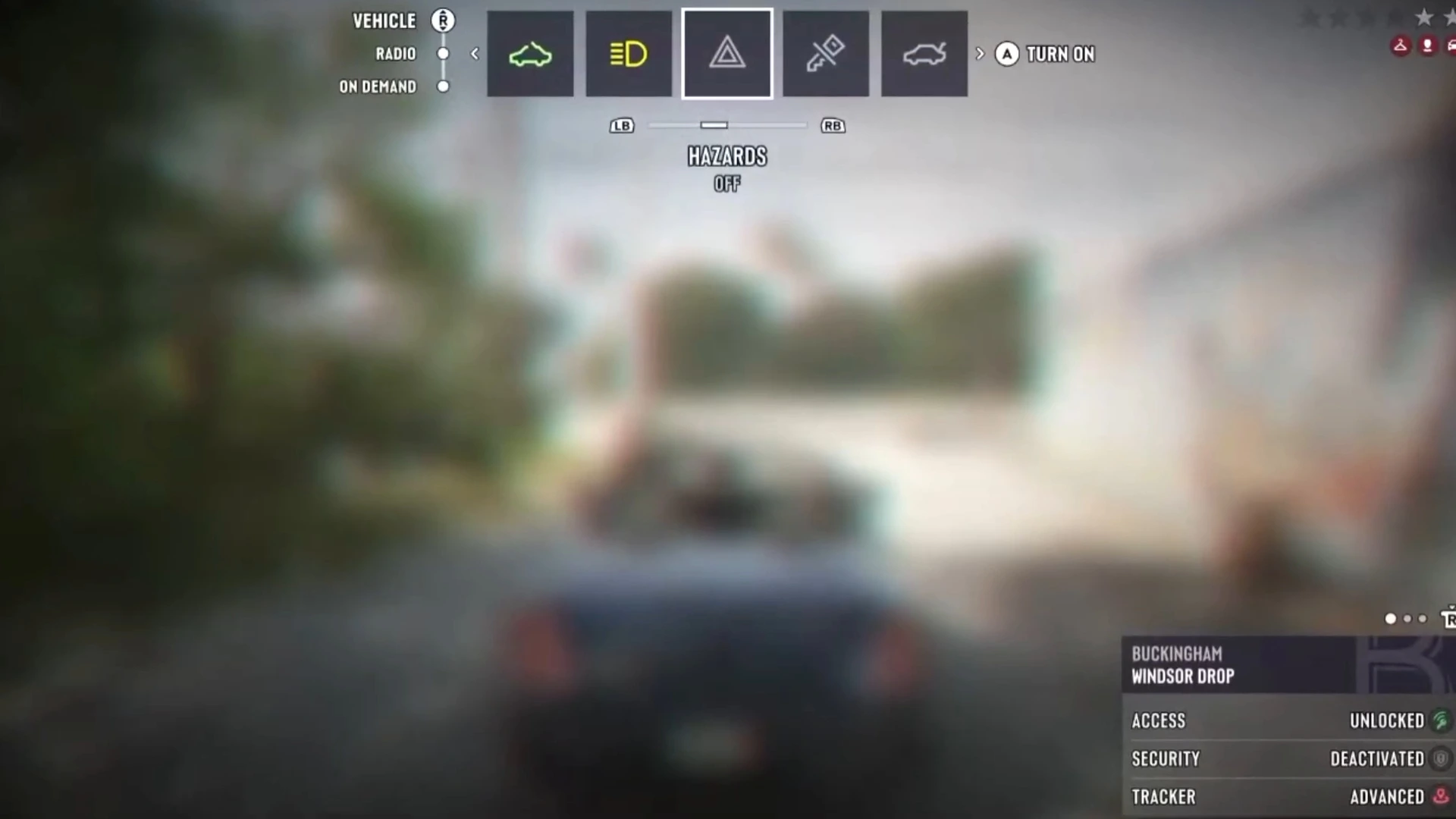
Hazards are cosmetic as far as the footage goes. We did not see any effect on police, traffic or the wanted level, and we will not claim one. They are handy when you park on a road and want the car to read as stopped. For the police side of driving, see the wanted level guide and how to lose the cops.
What about turn signals?
Rockstar’s extended gameplay look, as covered by the press, showed traffic using working indicators, and roadside signs reminding drivers to use them. The Vehicle menu in our footage showed Headlights and Hazards labels but no indicator entry, so we cannot tell you how a player triggers a turn signal. If you play on PS5 and find it, the menu row above is the first place to look. Until it is confirmed, do not assume it lives on the d-pad.
Using weapons in a car
Equipping a gun is the same wheel you use on foot. Hold the weapon wheel button and you get a Weapons tab and an Items tab, switched with R1 on PS5. In the frame below Jason is sitting in a pickup with the wheel open.
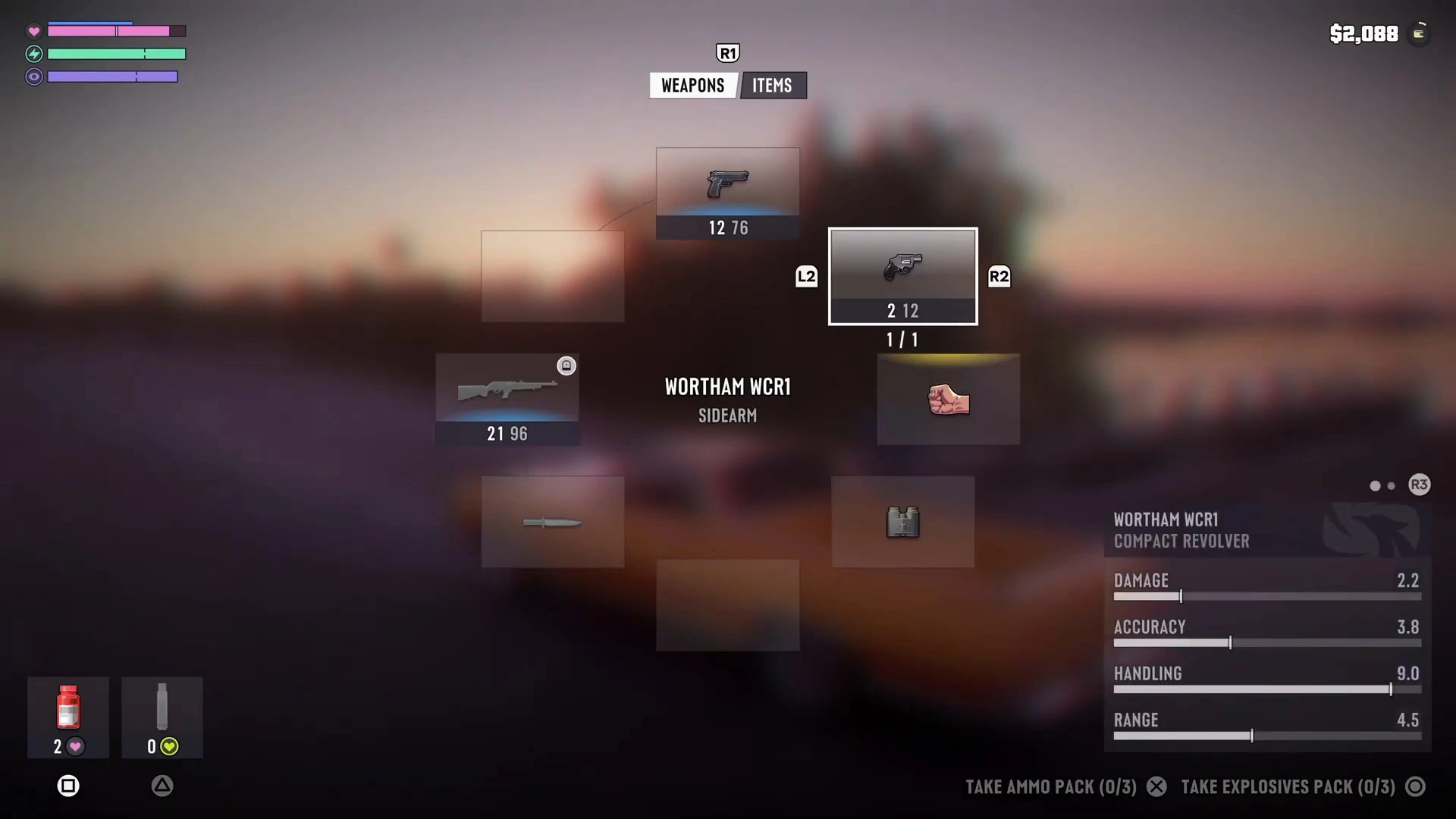
The wheel shows each weapon’s ammo, and the selected one gets a stats card. Here that is the Wortham WCR1 compact revolver, listed as a sidearm with Damage 2.2, Accuracy 3.8, Handling 9.0 and Range 4.5. Along the bottom the prompts offer Take Ammo Pack (0/3) and Take Explosives Pack (0/3), so the wheel also doubles as your resupply screen. Our weapons list has the full set and best early weapons helps you pick.
Once a pistol is equipped, the driving view changes. The ammo count and a pistol icon sit in the top-right corner, and a small aiming reticle appears at the centre of the screen.
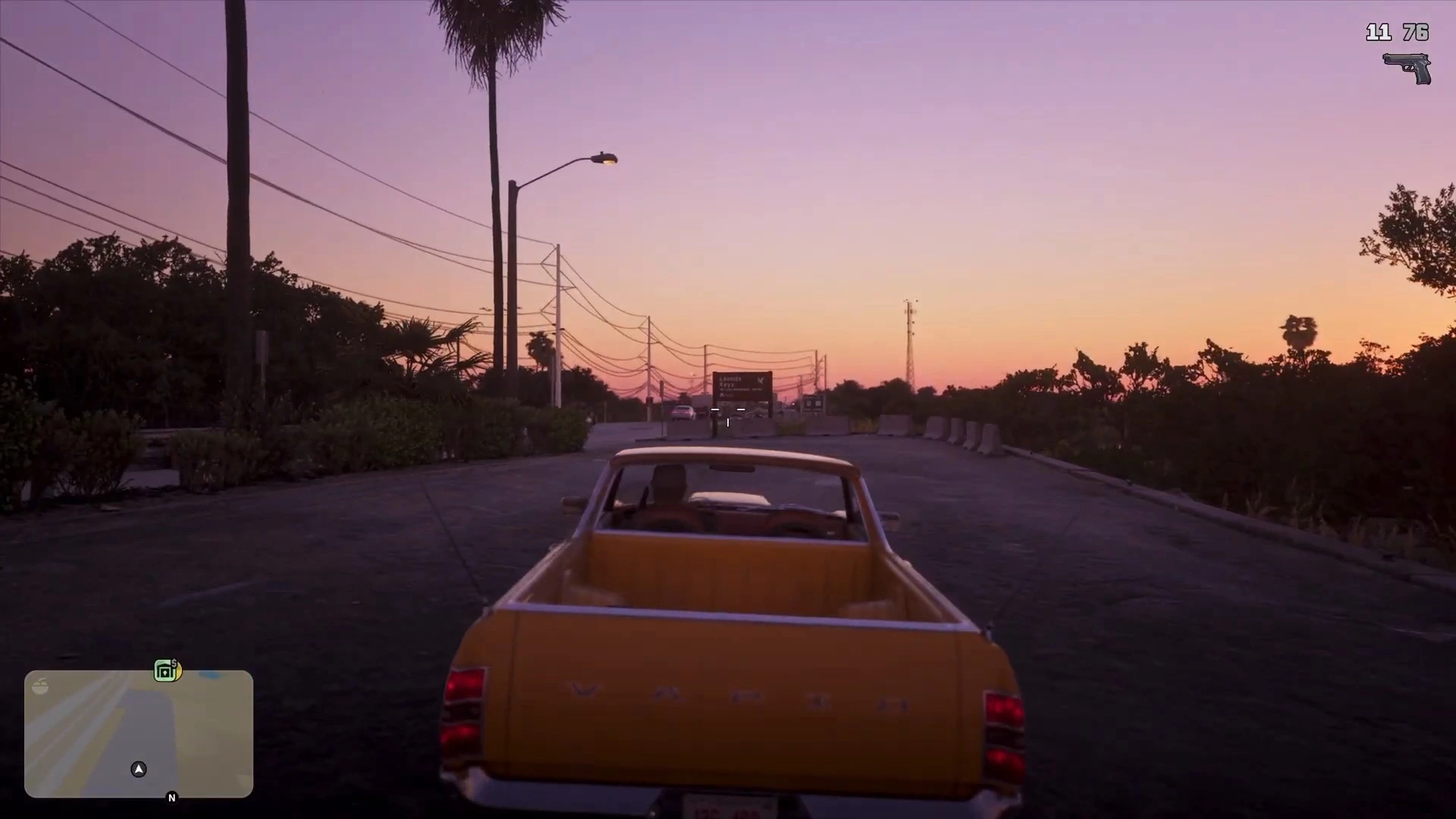
That is the best evidence we have that you can aim from the driver’s seat. We did not see a shot fired from a moving car, so the exact button, and how accurate driving fire is, remain unconfirmed. Check the controls guide for the driving prompts we have verified, and the combat tips for aiming on foot.
Rules on getting into cars
Rockstar has said you will not be able to hotwire every car, and that you acquire certain tools to get into some of them, according to GamesRadar’s report on that statement. That fits the Access and Security lines on the info panel, though we have not seen the game tie them together directly. Mark this one reported, not confirmed.
What we haven’t confirmed
- The driving fire button on PS5 or Xbox.
- The turn signal control, if the player has one.
- What the unlabelled icons do in the Vehicle row.
- Whether hazards change police or traffic behaviour.
- How Automatic headlights decide when to switch on.
More GTA 6 driving guides
- GTA 6 best cars
- GTA 6 fastest car
- GTA 6 gas and fuel
- GTA 6 radio stations
- GTA 6 how to register a car
- GTA 6 mod shops and upgrades