GTA 6 Patch Notes: Every Update So Far and How to Check Your Version
Every GTA 6 update so far, from 01.002.000 to the 01.002.001 day-one patch, with dates, sizes, what Rockstar has said and how to check your game version.
Skip to the guideShort answer: GTA 6 has had two console updates so far, 01.002.000 on November 13 and 01.002.001 from November 16. The second one is the day-one patch, and you must install it before the game will start. Rockstar hasn’t published patch notes for either, and no post-launch patch has been released yet.
Every GTA 6 update so far
| Version | Released | Size (reported) | Status |
|---|---|---|---|
| 01.002.001 | From November 16, 2026 | 602.5MB on PS5, about 1.59GB on Xbox Series X and S | Required before you can play. The current version at launch |
| 01.002.000 | November 13, 2026 | About 1GB on PS5 | Pre-launch update for people who had preloaded |
The sizes come from update-tracking accounts and outlets such as Tech Times, not from Rockstar. Download sizes also vary a little by region and by what you already have installed, so yours may not match exactly.
Sony also released a PS5 system software update on November 17. PlayStation Support said it was needed before playing GTA 6, so PS5 owners need both the console update and the game update. The preload and download guide walks through both.
Patch 01.002.001 (the day-one patch)
This is the update everyone needs to play on November 19. It began rolling out to PS5 preloaders on November 16 in waves, so some people got it a day later than others. On Xbox it arrived as a larger download of about 1.6GB.
What changed: Rockstar hasn’t said. There are no official patch notes. Some outlets, citing the fan news site RockstarINTEL, describe it as a bug-fixing update, but that is second-hand and Rockstar hasn’t confirmed what it contains. We don’t list unofficial “changes” here because nobody outside Rockstar can verify them.
Why it’s required: a game won’t launch while a mandatory update is waiting, so if GTA 6 refuses to start at unlock time, this patch is the first thing to check.
Patch 01.002.000
The first update arrived on November 13, the day after boxed copies reached shops and three days after preloads opened. It was about 1GB on PS5. Again, Rockstar published no notes. It was replaced by 01.002.001 a few days later, so if you’re installing today you’ll get both at once.
Post-launch patches
None yet. As of launch day there is no update newer than 01.002.001, and Rockstar hasn’t announced a date for the first post-launch patch.
For past Rockstar games, official title update notes appeared on the Rockstar Support knowledge base once an update went live. Rockstar hasn’t said whether GTA 6 notes will follow the same pattern. Treat any patch notes that don’t come from Rockstar Support, the Rockstar Newswire or Rockstar’s official social accounts as unconfirmed, especially lists that appear before an update has actually been released.
When a new patch is confirmed, it goes at the top of the table above with its date, size and any changes Rockstar lists.
How to check your GTA 6 version
On PS5
- On the home screen, highlight the GTA 6 tile.
- Press the Options button and choose Information. The version number is listed there.
- To look for a newer update, press Options again and choose Check for Update.
On Xbox Series X|S
- Highlight GTA 6 in My games & apps.
- Press the Menu button and choose Manage game and add-ons.
- Open Updates. If an update is waiting, it’s listed there with an install button. If the list is empty, you’re on the latest version.
Inside the game
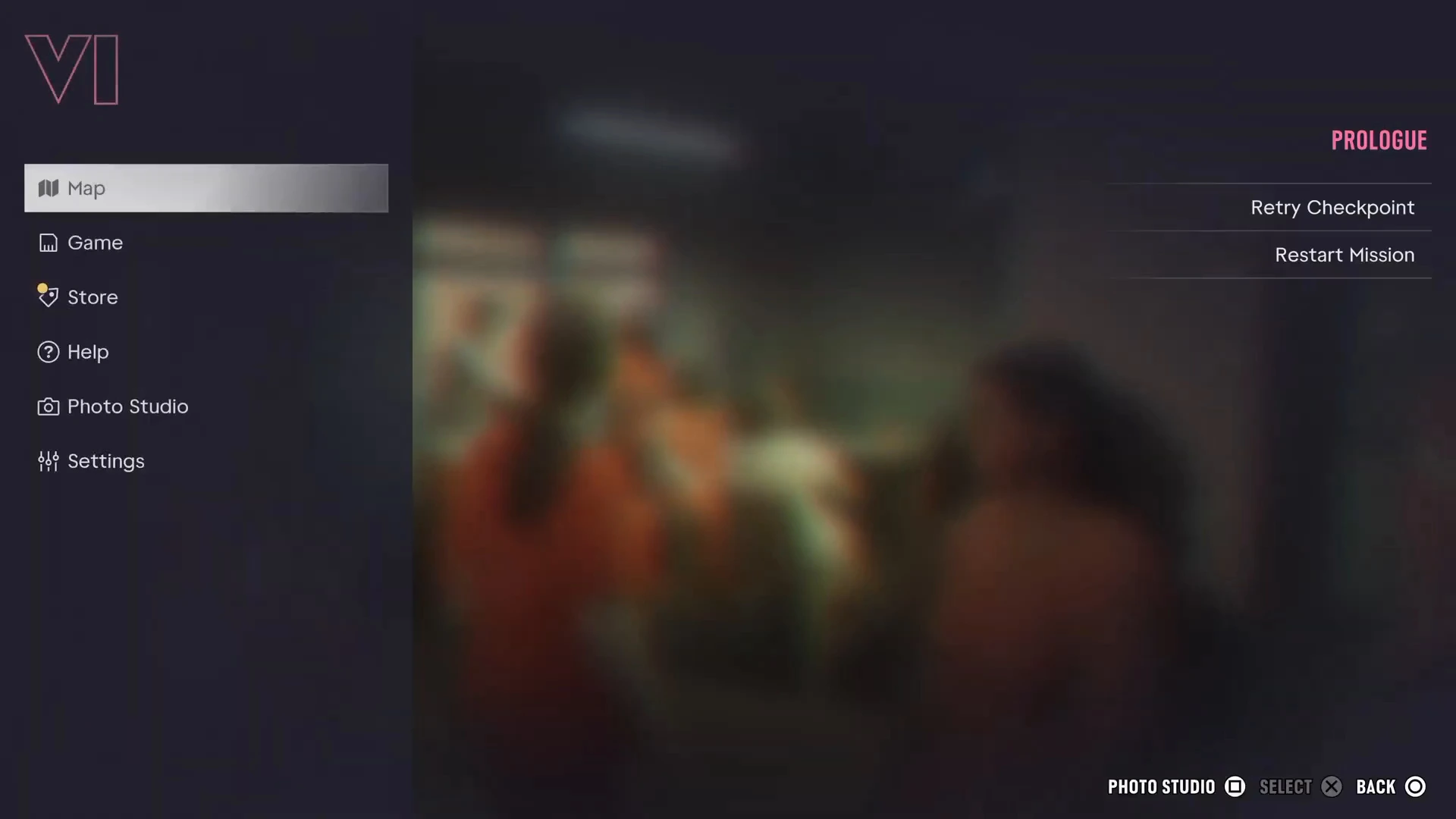
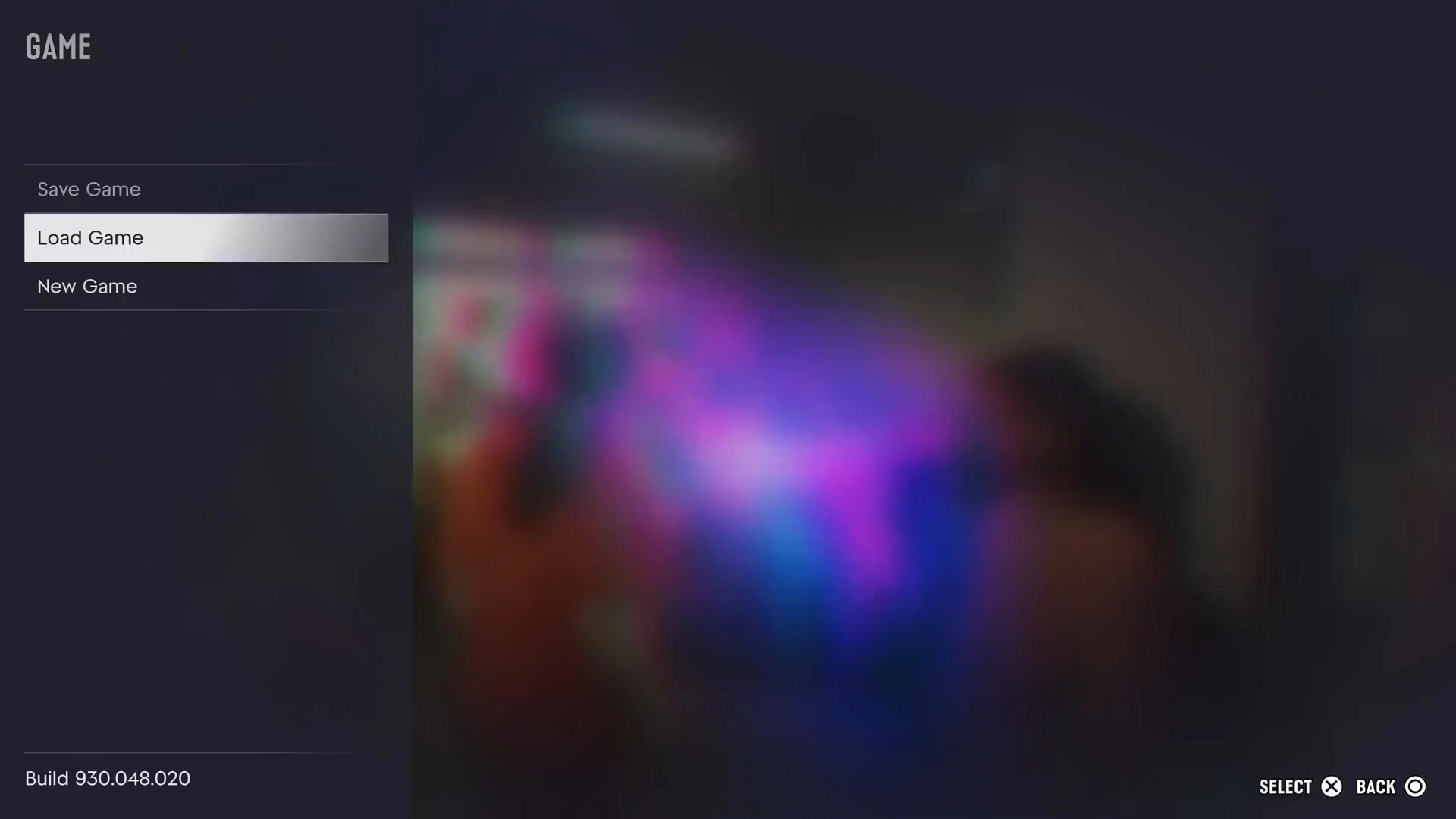
The game also shows a build number of its own. Press pause, open the Game tab (the one with Save Game, Load Game and New Game) and look at the bottom-left corner. In the launch footage we checked, it read Build 930.048.020.
That build number is Rockstar’s internal one. It doesn’t match the 01.002.001 version shown on the console, so don’t worry if the two look different. The console version is the one to compare with the table above.
How to make sure you get updates automatically
- PS5: go to Settings › System › Power Saving › Features Available in Rest Mode and turn on Stay Connected to the Internet. Also check that Auto-Update is on under Settings › Saved Data and Game/App Settings › Automatic Updates.
- Xbox: go to Settings › General › Power options and choose Sleep, then make sure Keep my games & apps up to date is ticked under Settings › System › Updates.
You’ll need free space for each patch. GTA 6 already takes about 212GB with the launch updates, so keep some room spare. Our file size guide has the details.
Will patches affect my save?
Rockstar hasn’t said anything about saves and updates, and nothing so far suggests the launch patches touched existing saves. Updates replace game files, while your saves sit in a separate save data area on the console. It’s still worth keeping more than one save slot as you play, so a bad save or a bug never costs you much progress. The how to save guide explains manual saves and autosaves.
What about PC and online updates?
There’s no PC version and no online mode yet, so there are no PC patches or online title updates to track. For the latest on both, see our running GTA 6 news page and the GTA 6 PC status page.
More GTA 6 guides
- GTA 6 news: every official update since launch
- How to preload and download GTA 6
- GTA 6 file size and storage
- How to save in GTA 6
- GTA 6 FAQ
- GTA 6 beginner tips
- Full GTA 6 mission list