How to Play Basketball in GTA 6: Pick Up the Ball and Shoot Hoops
How to play basketball in GTA 6: find the ball and hoop at Jason's house, pick it up, aim and shoot with the on-screen prompts and earn a small Focus bonus.
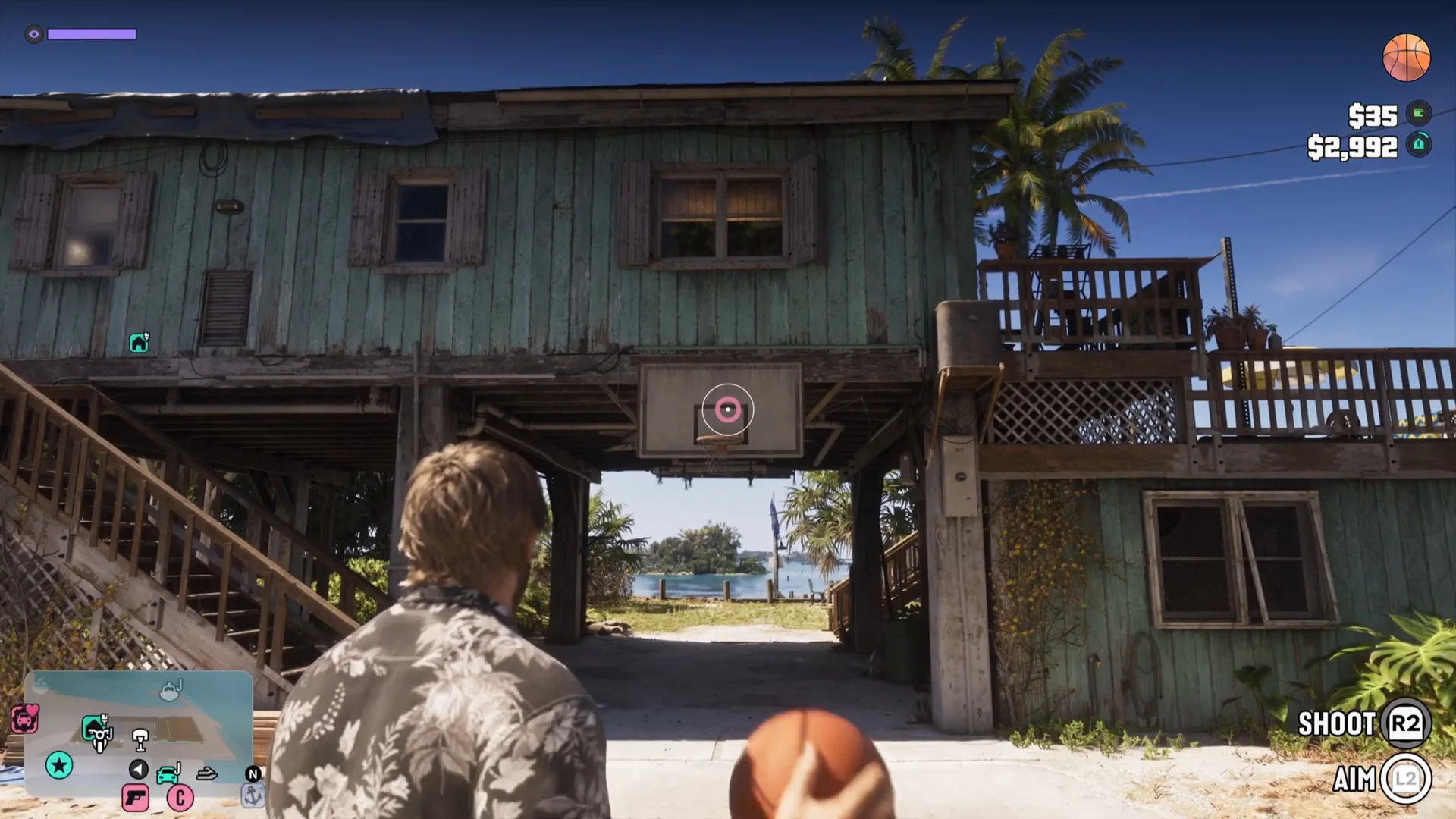
Skip to the guideYou can play basketball in GTA 6, and the easiest place to start is right outside Jason’s house. A backboard and hoop are mounted under the stilt house on Key Lento, and a basketball is lying on the concrete beside them. Pick it up, line up the shot and you are playing. A small counter tracks how many baskets you have made, and the baskets shown in the footage each came with a Focus +2% notification.
Quick version: walk to the court under Jason’s house → pick up the ball when the Basketball prompt shows → face the hoop → hold Aim to bring up the ring → hold Shoot and release when the guide lines up with the ring → watch the scored counter.
Where to find the hoop
The court is the shaded patch of concrete under Jason’s stilt house. The backboard hangs from the underside of the building, with the water and a small island behind it. A cardboard stack and a blue tarp sit near the stairs. Jason’s house is covered in our Jason’s house hidden details guide and how to work out at Jason’s house.
The narrator of the footage says there are more hoops all over the map. Only this one court was shown, so look for backboards when you are exploring and check the map guide for other landmarks.
Step 1: Pick up the basketball
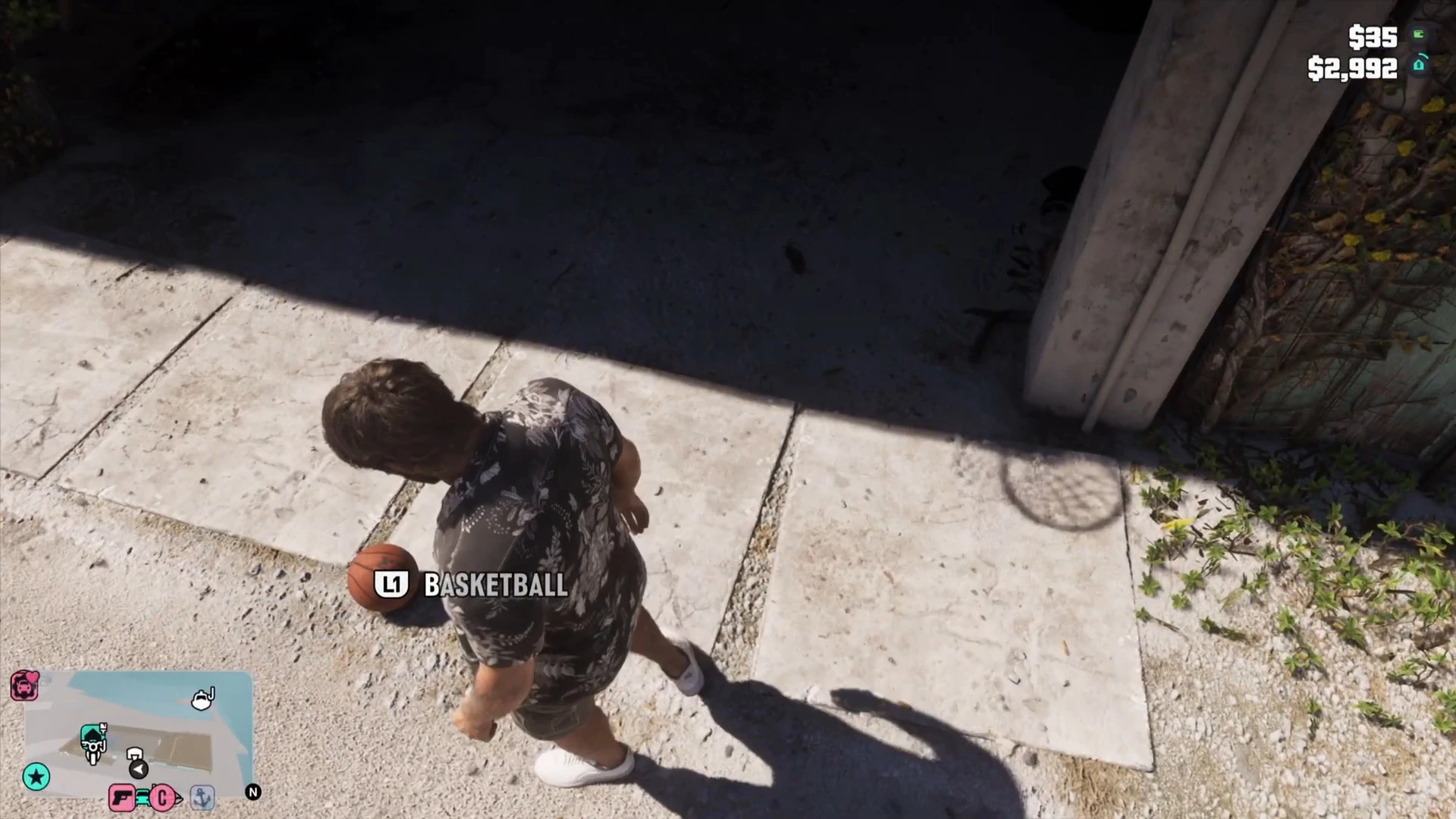
The ball sits on the concrete near the corner of the house. Walk toward it until a prompt appears reading Basketball. On PlayStation the button shown is L1. Press it and Jason picks the ball up and holds it at his side.
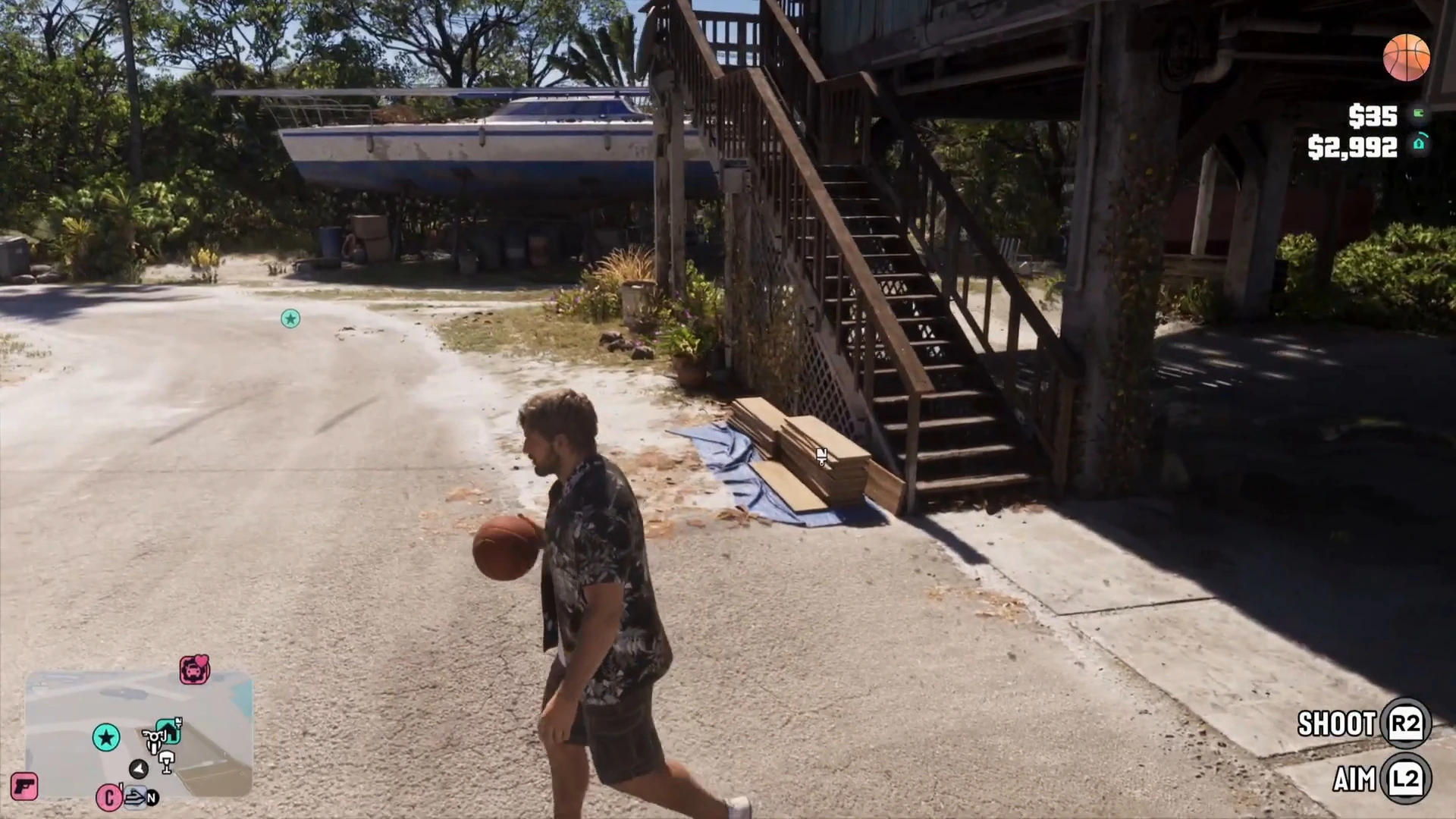
A basketball icon appears in the top right of the HUD while you are holding the ball. Jason dribbles as he walks and jogs, so you can fetch a rebound without putting the ball away.
Step 2: Aim at the hoop
Face the backboard and hold the aim button, L2 on PlayStation. A pink ring appears on the backboard, centred on the hoop, and the camera pulls in behind Jason’s shoulder. The prompts Shoot and Aim show in the bottom right while you are holding the ball.
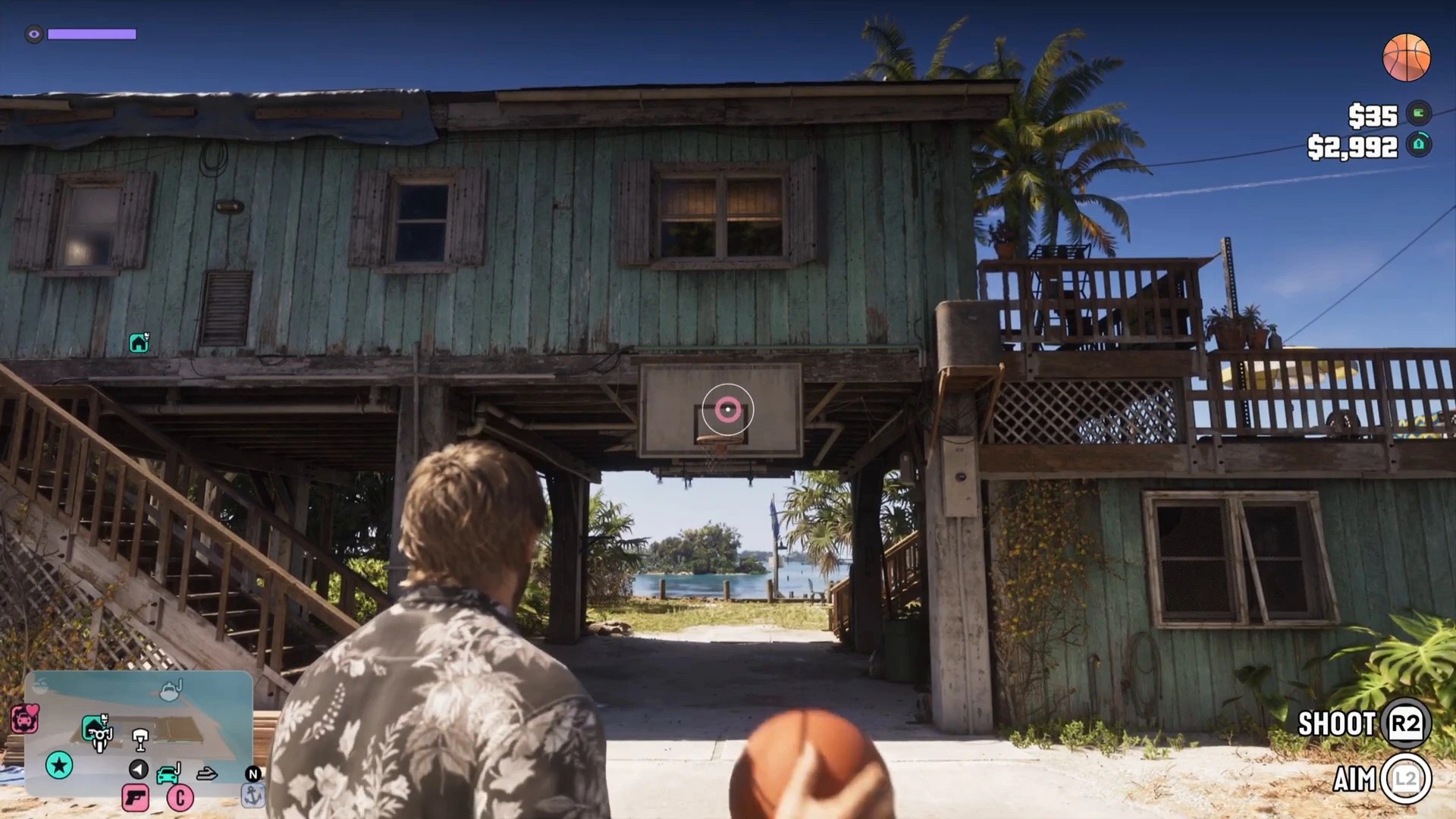
The footage did not show Xbox buttons clearly, so check the prompts on screen.
Step 3: Hold and release to shoot
Hold the shoot button, R2 on PlayStation, while you are still holding aim. The narrator explains it as a timing shot: let go when the white line you can see is inside the red ring, and that is the best shot. If you miss, walk after the ball, pick it up again and have another go.
Scoring and the Focus bonus
Each time the ball goes in, a small scored counter appears on the right of the screen. In the footage it ticked through 2 scored, 3 scored and 4 scored. A Focus +2% notification slid in with each of those baskets, together with a D-pad icon. Focus is the ability meter explained in our focus guide.
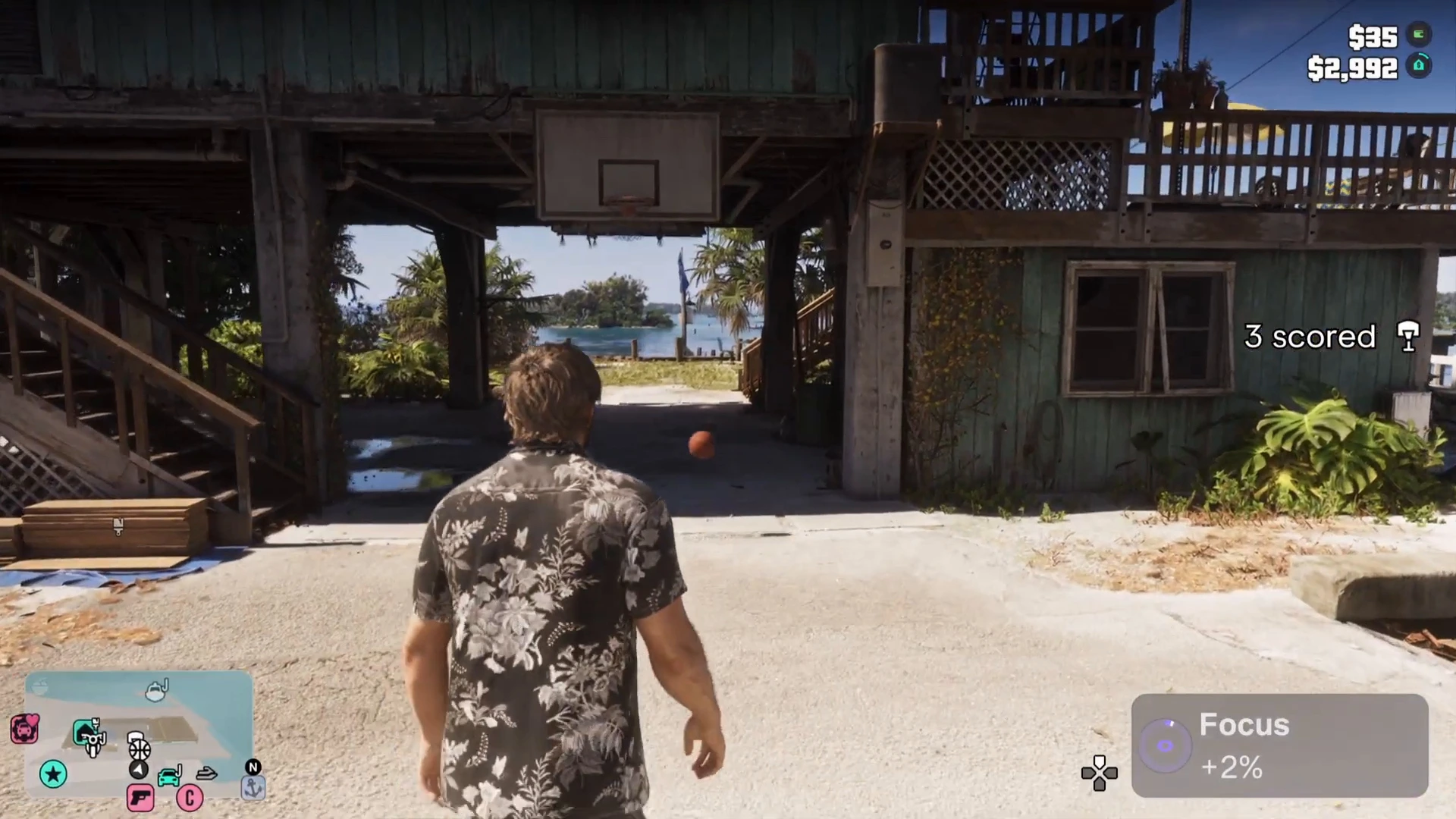
The footage does not show a cap, so how much Focus basketball can give in total is not confirmed. If you want to know how Focus helps in fights, see combat tips.
Tips for better shots
- Face the hoop square-on. The ring sat on the centre of the backboard when Jason stood in front of it.
- Release on the line. The narrator’s advice is to let go when the white line sits in the red ring.
- Watch the counter. The scored counter on the right shows how many shots you have made in the run.
- Combine it with other downtime. Pool and the other activities in our side activities list are good for waiting out a mission cooldown.
What to read next
- How to play 8-ball pool
- GTA 6 best side activities
- Gym and workout guide
- Jason’s house hidden details