GTA 6 Apps and Social Media: Snapmatic, BuckMe, WAiNK and More
Every GTA 6 social feed and in-game app explained: Snapmatic, WhatUp, News, BuckMe, WAiNK, the cop scanner, Scooter Bros, Fitness and RydeMe, with screenshots.
Skip to the guideGTA 6 gives you a phone that doubles as a small social network and a toolbox. There is a scrolling social feed, a messaging app that carries most of the story’s jobs, a news app that reads like a feed of local headlines, and a handful of story apps that each do one useful thing, from scanning cars to banking. This guide is about the social and in-game web side of the phone: what each app and feed does, how to use it and when it shows up.
If you want the phone basics, such as how to open it and what the camera controls are, read the phone and apps guide first. This page goes further into the social feeds, the news and the apps that change how you play.
Quick version: press up on the d-pad to open the phone. Snapmatic is the social feed, WhatUp is messaging, News is the headline app, BuckMe is banking, WAiNK scans vehicles, the cop scanner is a plugin from Cal, Scooter Bros delivers your cars, Fitness tracks workouts and RydeMe is a reported ride app we have not confirmed.
Social media and the in-game web
GTA 6 has no open internet browser that we have seen. What it has instead is a closed set of fictional feeds and outlets, and they make up the in-game web.
| App or feed | What it is | Confirmed? |
|---|---|---|
| Snapmatic | Social feed of resident and business posts | Yes, seen in footage |
| WhatUp | Messaging with contacts and services | Yes |
| News | Headlines from fictional outlets | Yes |
| Weazel News | TV news bulletins in the story | Yes |
| Dating app | Shown once in dialogue, not usable | Dialogue only |
| Web browser or site list | Not seen | Unconfirmed |
Snapmatic, the social feed
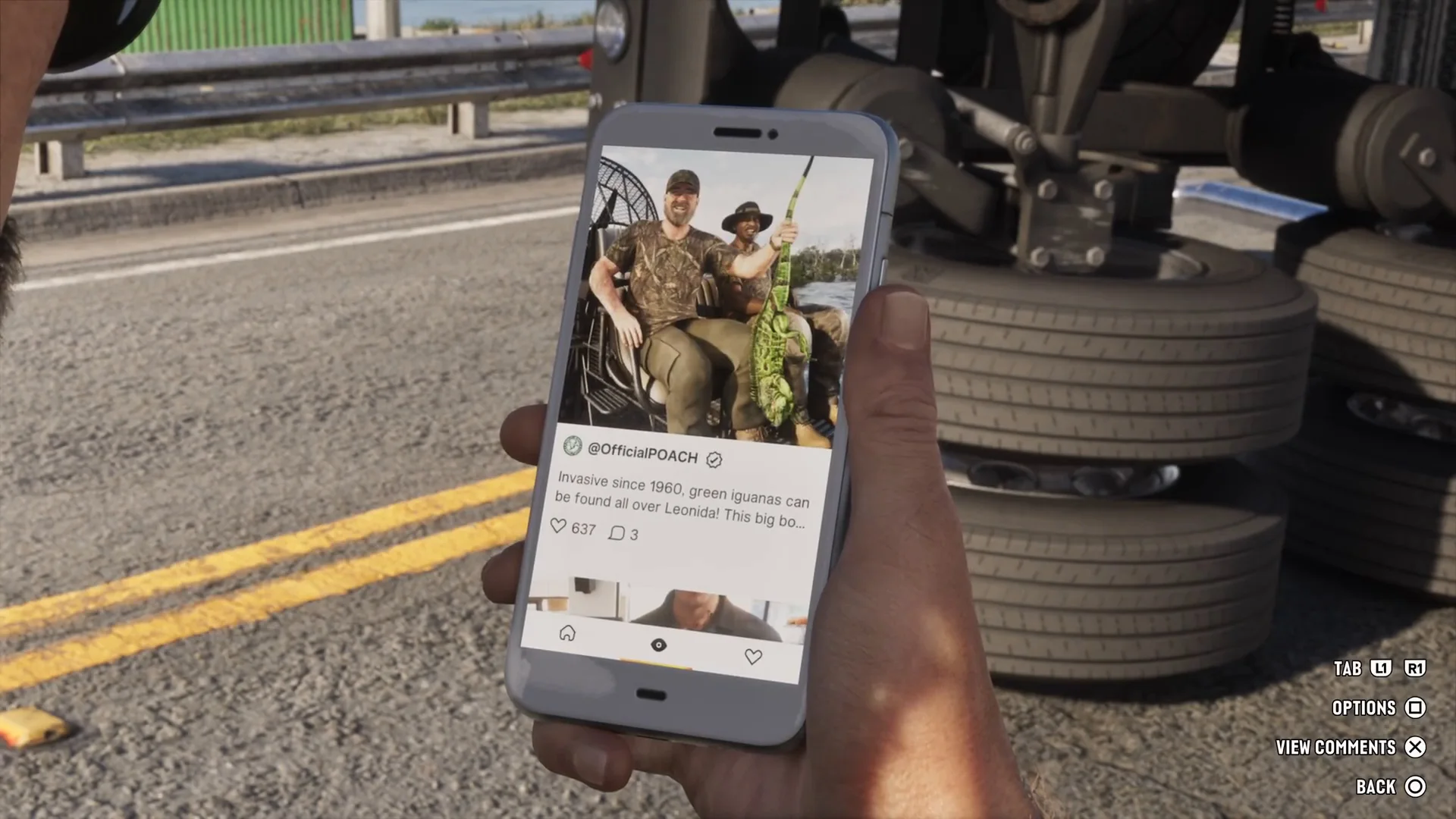
Snapmatic is where GTA 6 puts its social media. Open it from the phone’s home screen and you get a vertical feed of posts, each with a photo, a handle, a caption and counters for likes and comments. The on-screen prompts show Tab to switch between sections, Options, View Comments and Back. In our footage the feed showed a post from an account called OfficialPOACH about invasive green iguanas, with a verified tick next to the name and a comment count in single figures.
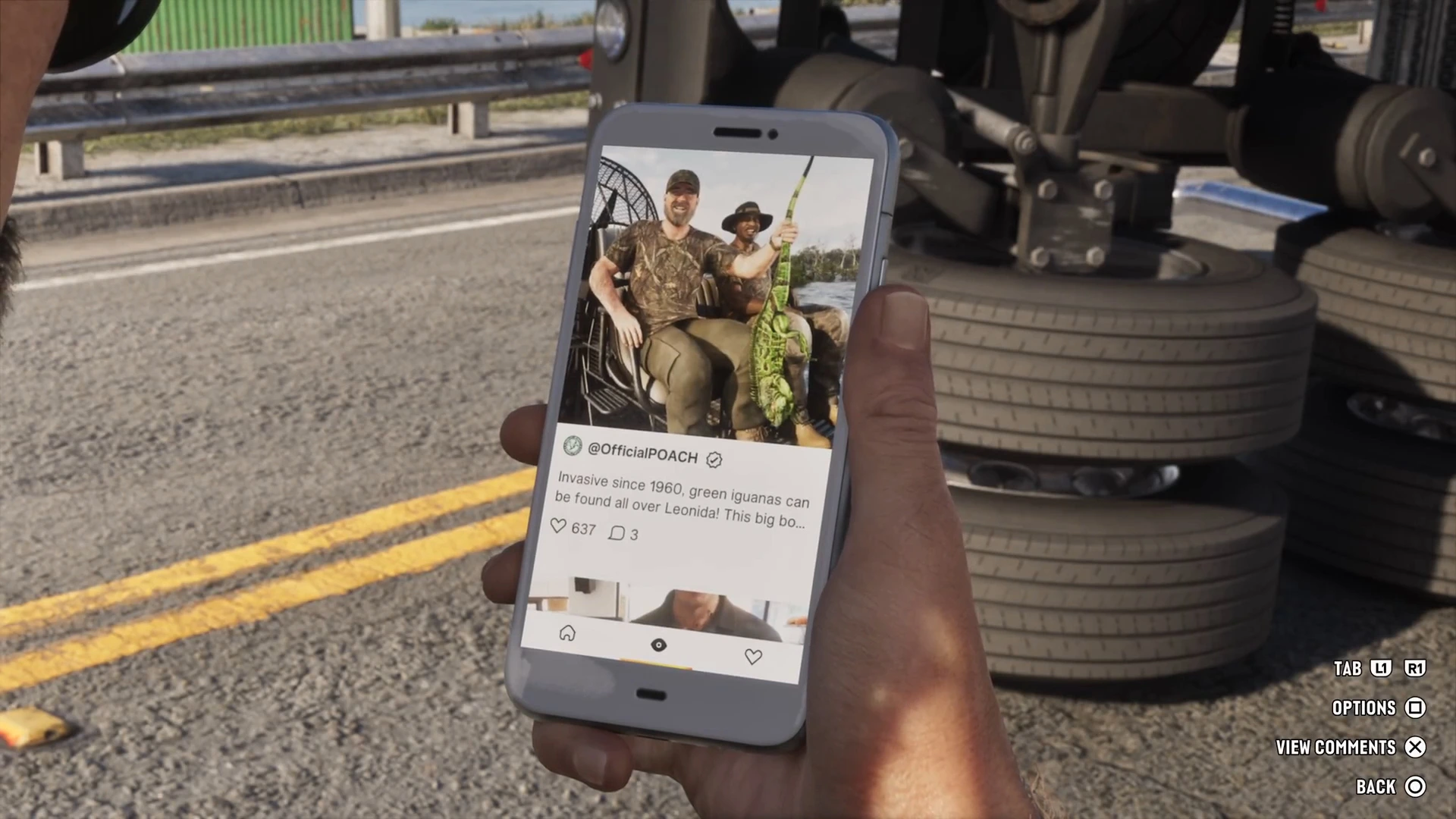
How to use it: open the phone with d-pad up, pick Snapmatic, scroll with the stick and press the View Comments button to read replies. Use Tab to switch sections. We have not confirmed any way to post or reply from the feed. Rockstar told Dazed that the phone has working feeds and that some characters’ stories, such as the rap duo Real Dimez, play out through viral posts. Some outlets report that you can browse but not post, and that is the only part we can back up.
The name is a GTA 5 carry-over. Our GTA 5 connections guide covers why Snapmatic is the one social brand that clearly returns, and why we found no confirmed Lifeinvader in the finished game.
WhatUp, messaging
WhatUp is the closest thing to a social inbox. It splits into Suggested conversations at the top, which are the people who need an answer, and Messages below. In one save the suggestions were Brian, Cal, Joey and Donnie, with Lucia, Shirley and the Rusty Anchor bar underneath.
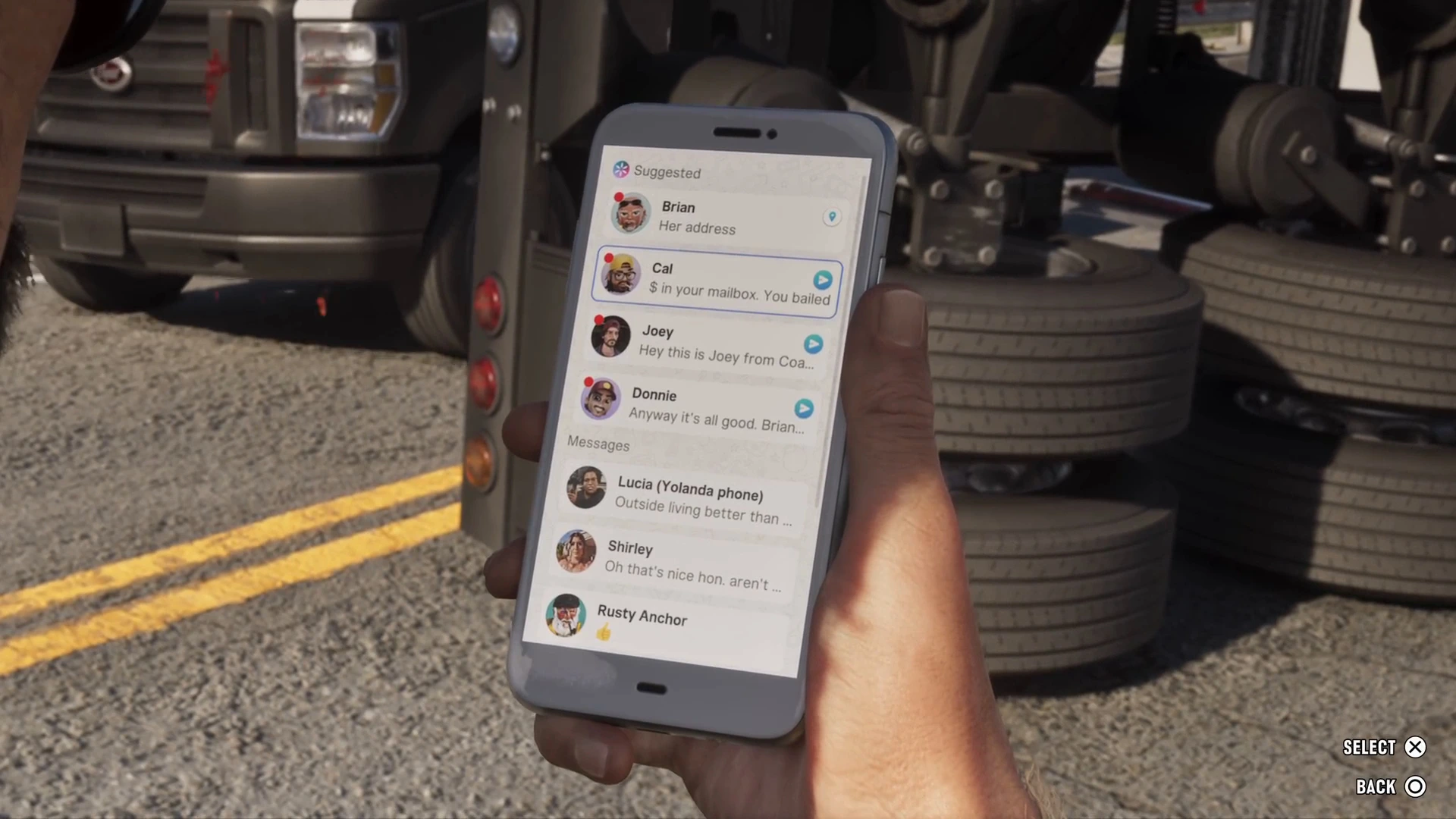
Open a thread, read it and press Send to reply. A text that contains an address offers Set Destination and routes your GPS. Jobs and tips often arrive here, so check it after each mission. The phone contacts guide lists who texts you and when.
News, the in-game headlines
The News app is a list of headlines, each tagged with its outlet. We saw Star Stalk (“What’s happened to VYB?”), The Leonida Journal (a story about dark tourism vloggers), Vice City Horn (the governor and climate change) and Liberty Tree (hackers held to ransom by crypto, and a detective desperate for validation). They are jokes about real internet culture, and they are the nearest the game gets to a web.
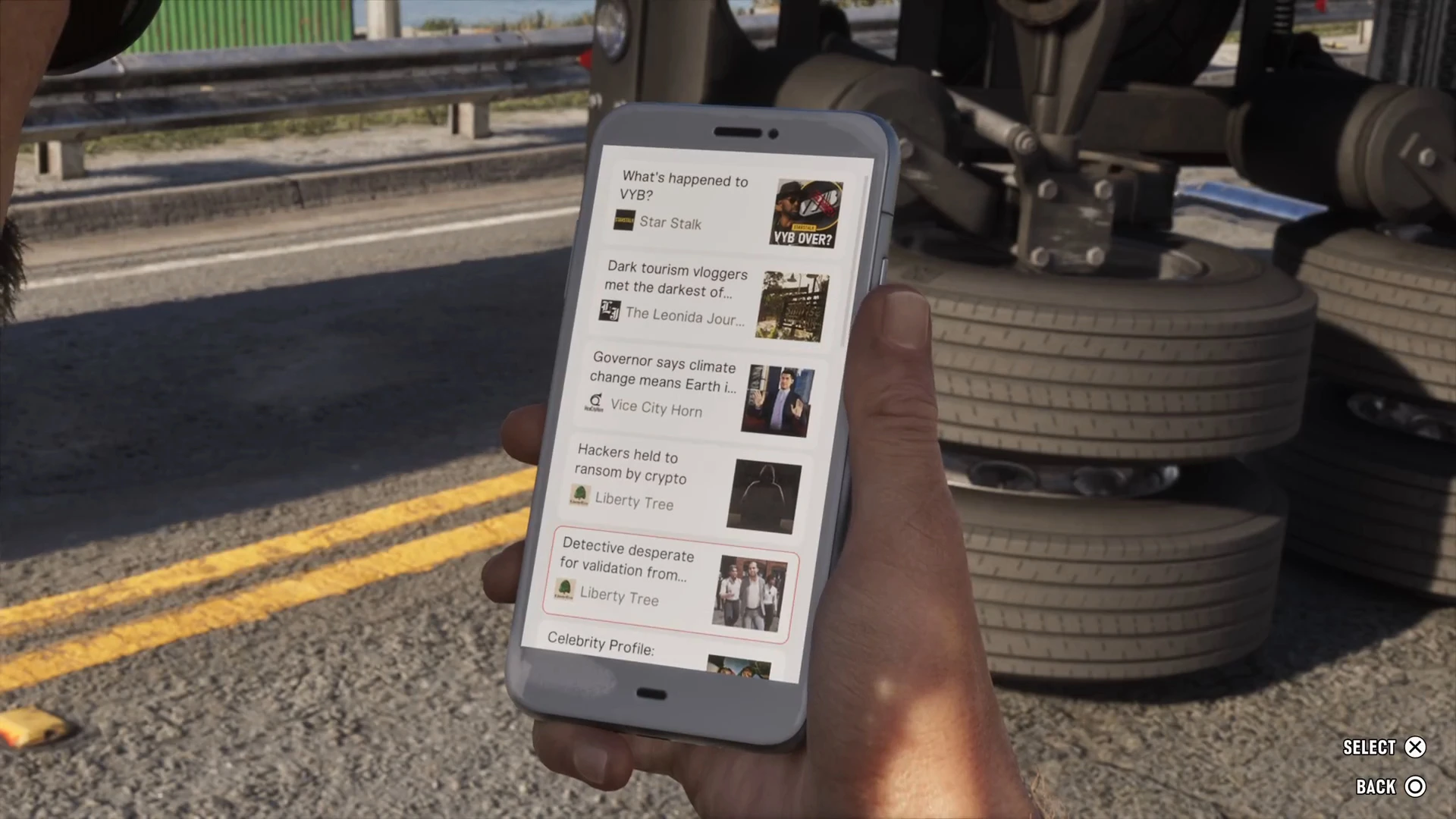
Press Select to open a story and Back to return. It does not give you rewards, but it is worth a look when a new chapter starts, because the headlines react to the world. Weazel News, the returning GTA 5 network, appears on motel TVs in the story, including the Grassrivers bulletin in What’s in the Bag?.
Apps that change how you play
BuckMe, banking
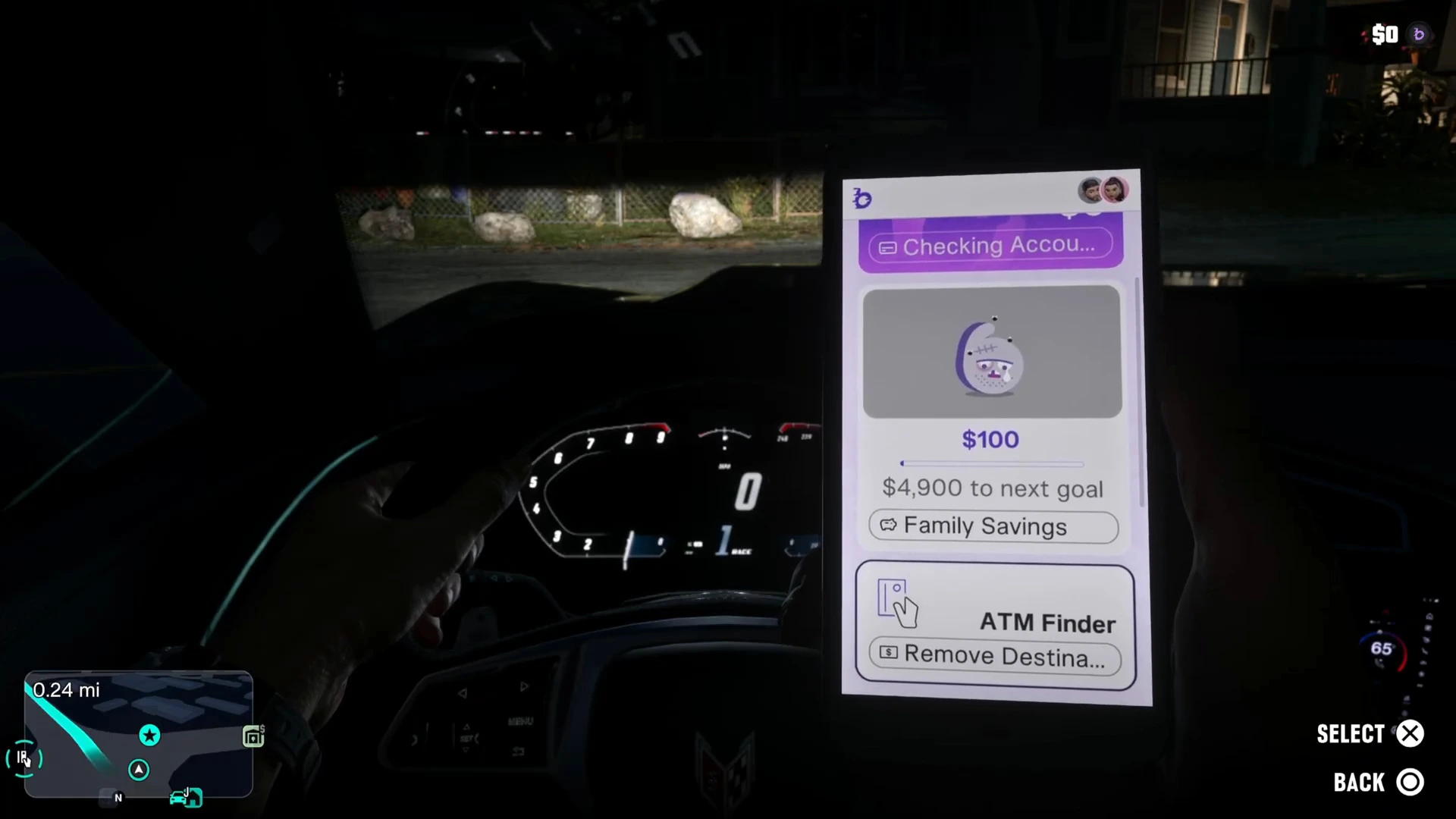
You get BuckMe in Buck Me, with a $100 welcome bonus. The home card shows Checking Account and Family Savings, with the amount left to the next goal, and an ATM Finder card that sets a route to the nearest machine. Use it to move cash from your pocket into the bank, because some purchases need an account. See how to deposit cash and Save for the Future.
WAiNK, the scanner
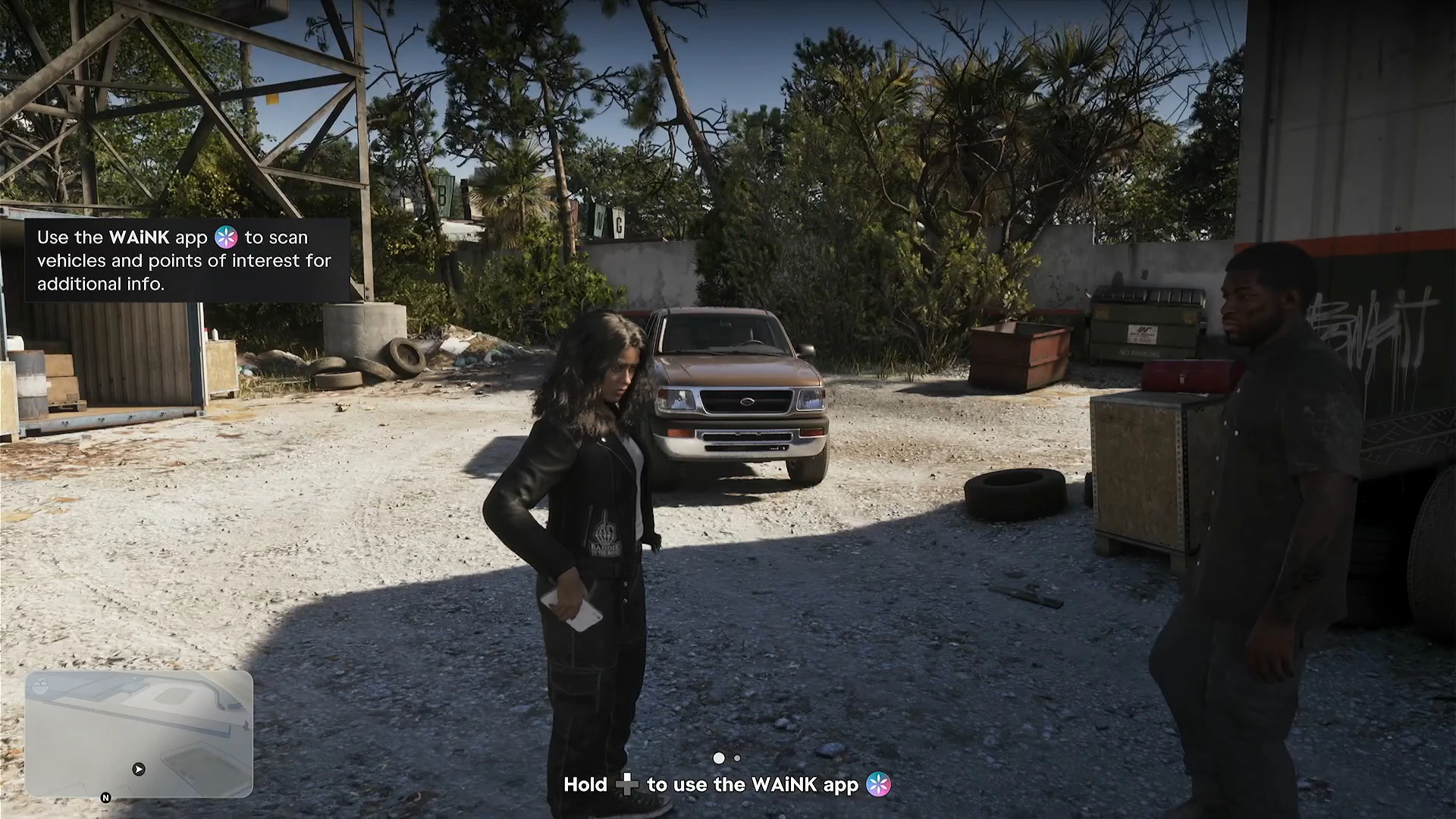
WAiNK works without opening the phone. A hint says to hold the d-pad button shown on screen, then aim at what you want to scan. On a vehicle it shows a card with its Access, Security and Tracker status. The same hint says it scans points of interest for extra info, and the You WAiNKer! trophy needs 100 scans.
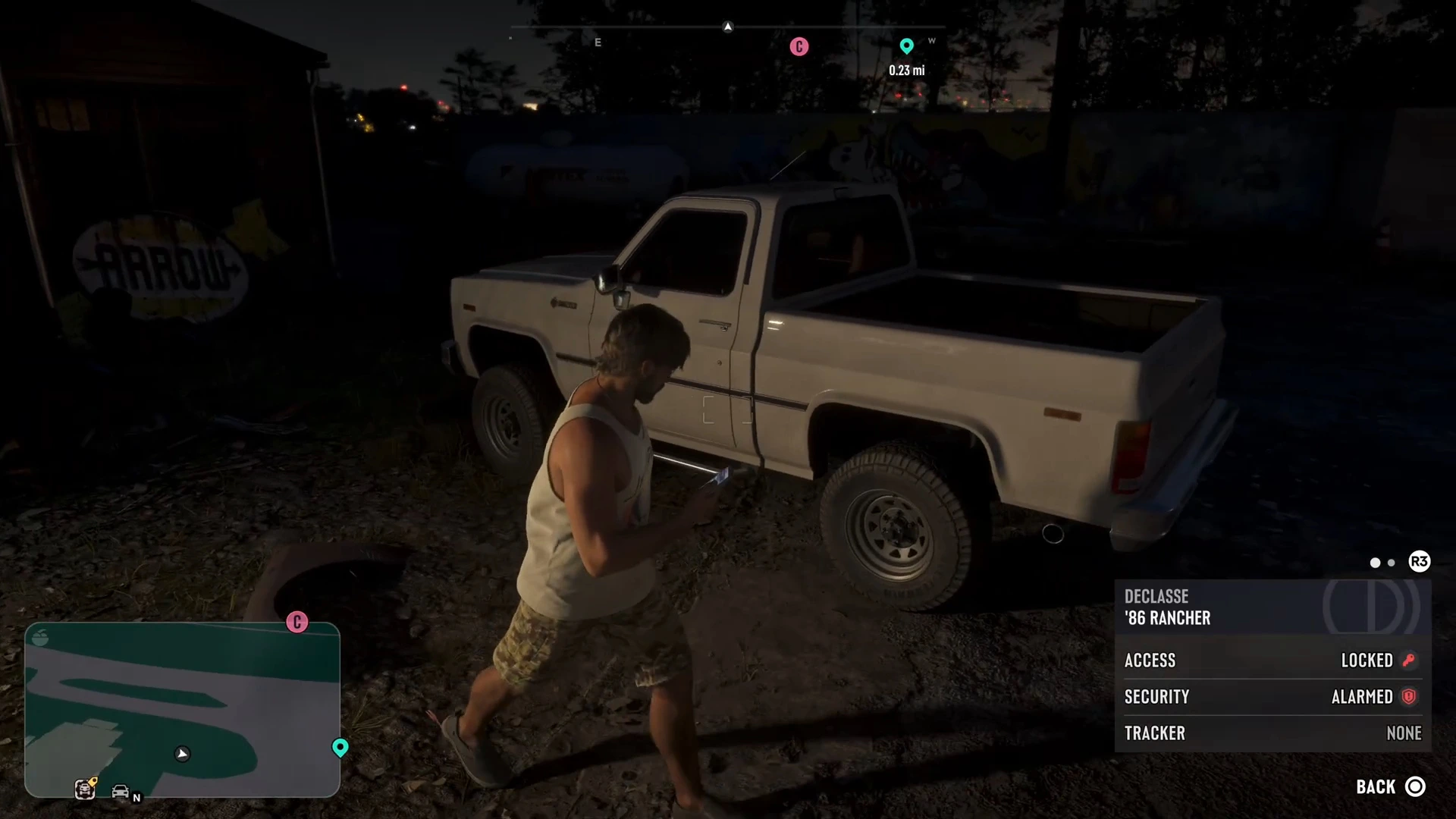
The car theft guide explains how to use each line, and the GTA 6 trophies page lists the scan trophy.
Cop scanner
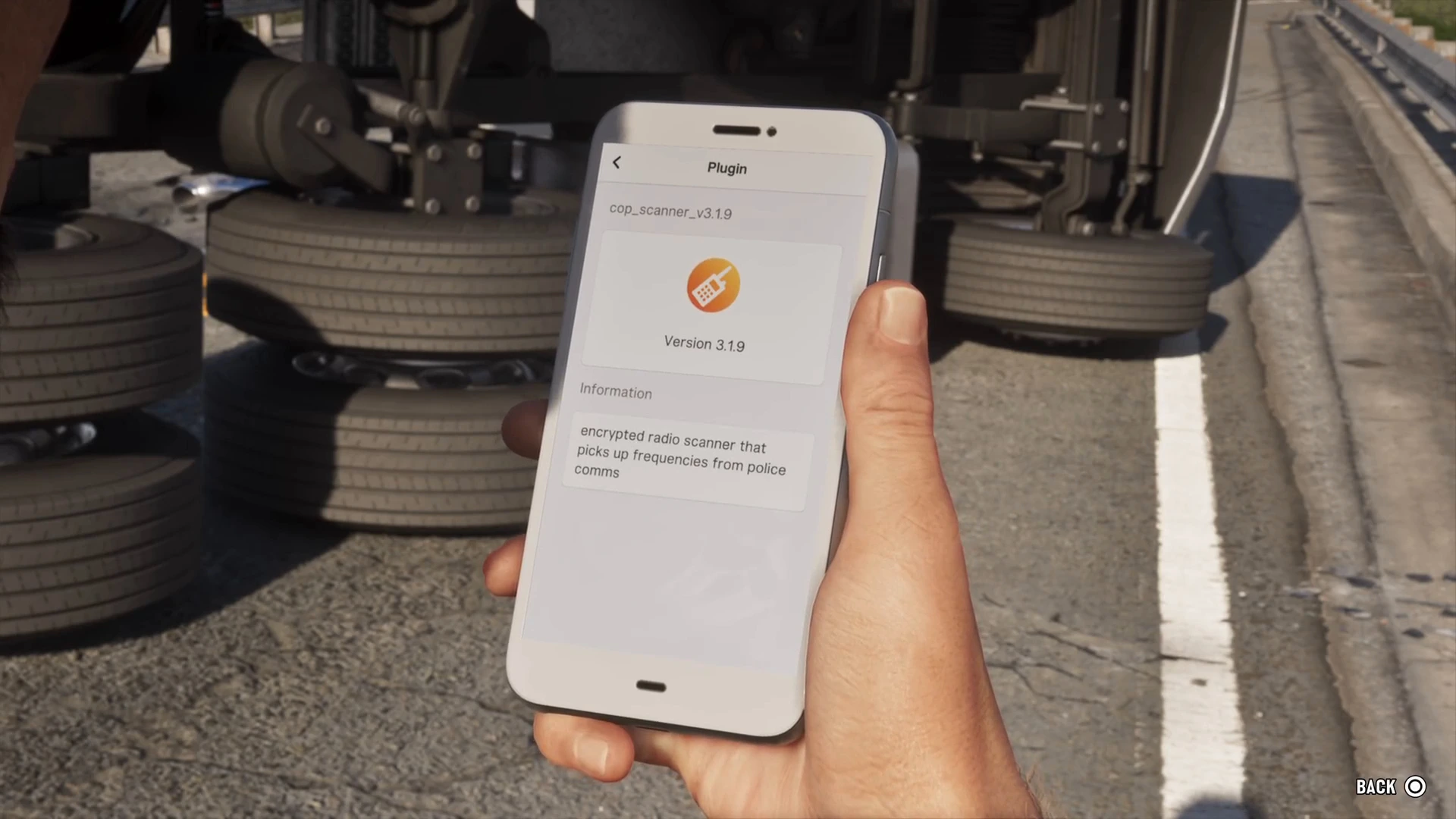
Cal installs the cop scanner at the impound in Unwanted Attention. It lives in Settings under Third-Party Plugins as cop_scanner_v3.1.9, described as an “encrypted radio scanner that picks up frequencies from police comms.” A hint says you can listen to police radio and get notified about dispatch areas. There is nothing to press, so it is passive. See the police guide.
Scooter Bros, vehicle delivery
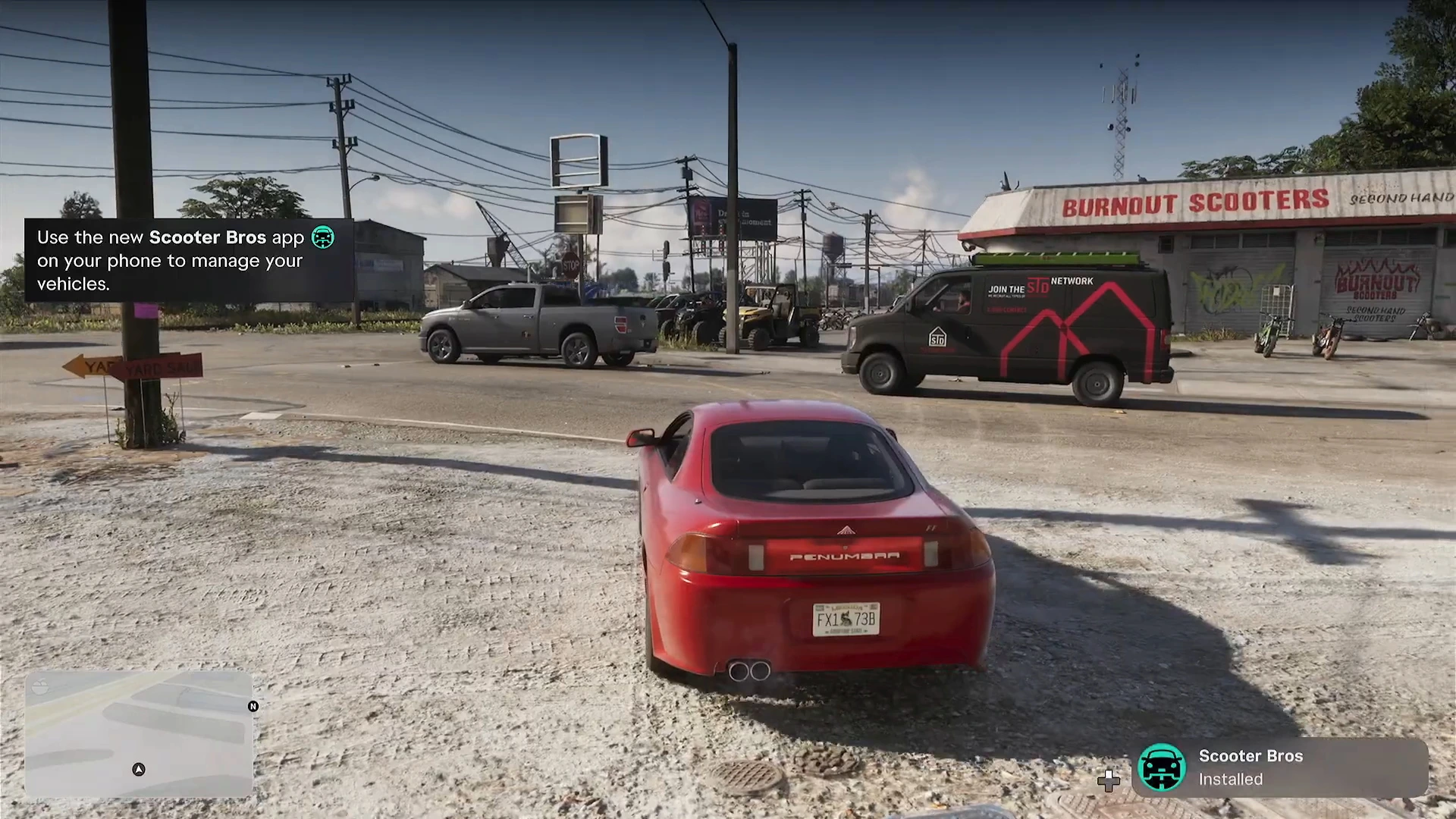
Moses sends Scooter Bros in the Moses mission, after he registers your first car. The hint says to use it to manage your vehicles, and it can bring a registered car to you. The On the Spot trophy counts 10 registrations. See how to register a car.
Fitness
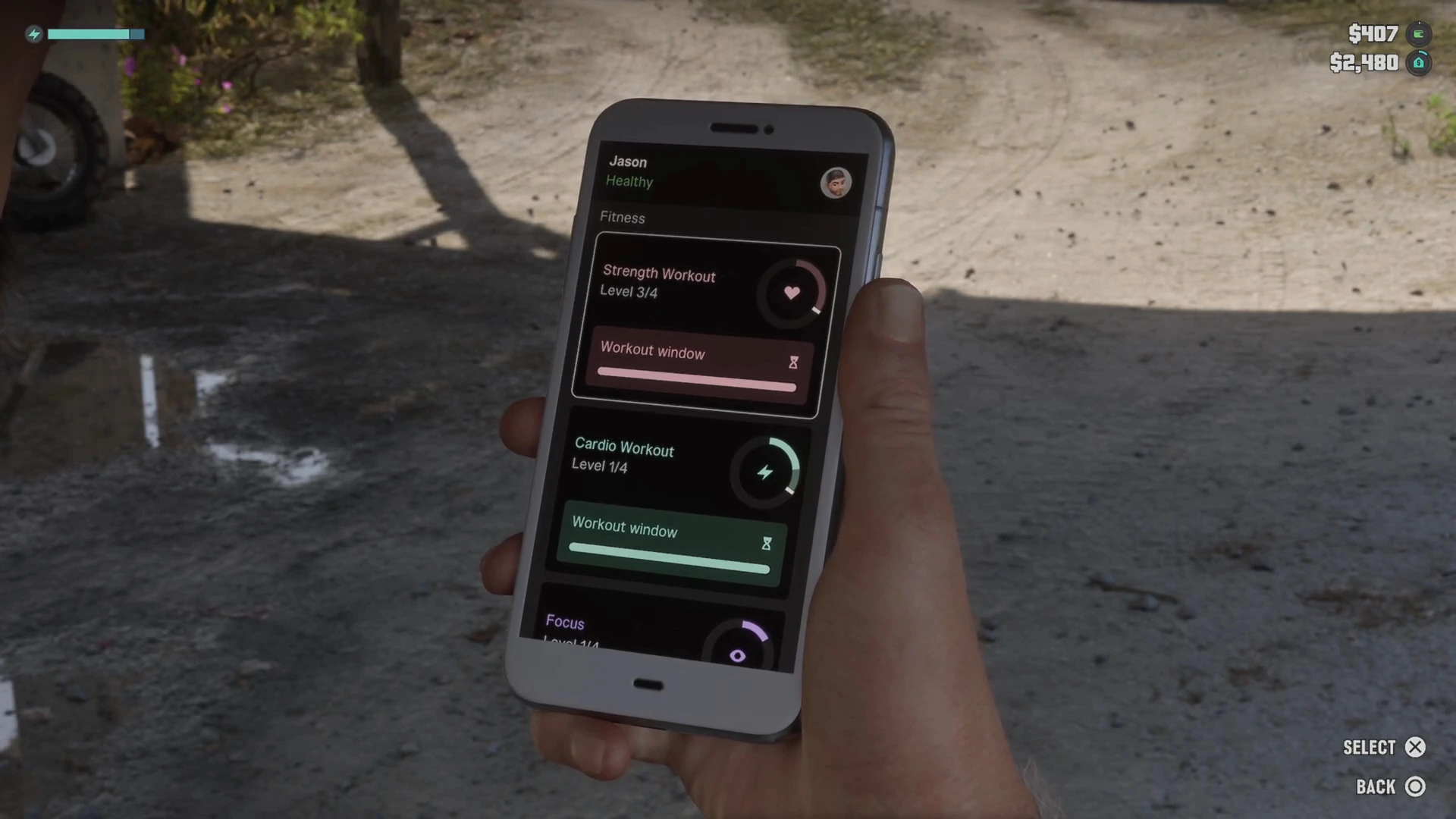
The Fitness app is a stat sheet. It lists Strength Workout, Cardio Workout and Focus, each with a level out of 4, plus a Workout window bar for the next session. It also has a Body and Nutrition page. It is not social, but it is the app you check most often once you start training. The gym guide explains how to raise each stat.
RydeMe and the other reported apps
RydeMe is a ride-ordering app. A tip after Buck Me says you can use it, but the balance in our run was too low to try. PowerPyx reports it replaces Paradise Taxi from Chapter 2. We have not seen a ride in footage, so the fare and the exact unlock are unconfirmed. The fast travel guide covers the taxi that works today. Garages are bought through a Vice City Real Estate app after Chapter 2, covered in the safehouses guide.
Tips for using the phone
- Check WhatUp after every mission. Payments, repairs and new jobs arrive as texts.
- Missing an app? Each story app arrives in a specific mission, so a gap usually means that mission is still ahead.
- Do not expect to post. Treat Snapmatic as a read-only feed unless footage proves otherwise.
- Scan as you travel. WAiNK scans count toward a trophy and show alarms and trackers before a theft.
- Use the scanner. If it warns you about a dispatch area, move before the stars appear.
More GTA 6 guides
- GTA 6 phone and apps guide
- GTA 6 100% completion guide
- Criminal types and profile
- The justice system
- GTA 6 phone apps database
- Every mission walkthrough